Configure Azure CI/CD variables
PRE-REQUISITES
If you are building a CI/CD pipeline, follow the steps in Configure Integrations between sfdx-hardis and Azure Pipelines to create your pipelines.
Define sfdx-hardis environment variables
- Go to Project -> Pipelines
- Select your pipeline
- Click on Edit , then on Variables
- Input variable name and value
- Don't forget to click on save !
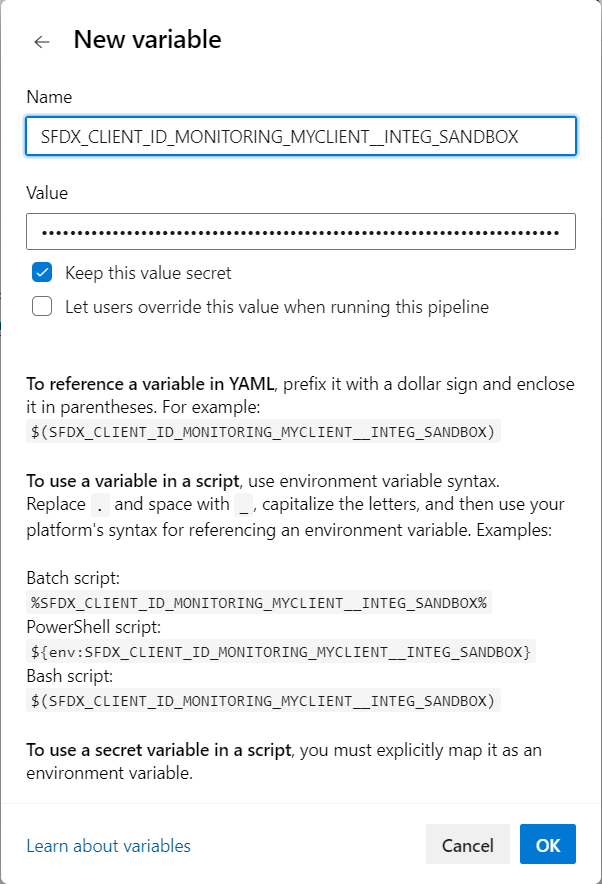
More info: Azure documentation
Reference variables in your pipeline YAML files
When you defined your secret variables in Azure Pipelines, you need to reference them in your pipeline YAML files using the syntax VARIABLE_NAME: $(VARIABLE_NAME), so their values are correctly passed to the pipeline.
Example:
          SFDX_CLIENT_ID_MY_ORG: $(SFDX_CLIENT_ID_MY_ORG)
          SFDX_CLIENT_KEY_MY_ORG: $(SFDX_CLIENT_KEY_MY_ORG)
Impacted YAML files if present in your repo:
azure-pipelines-checks.ymlazure-pipelines-deployment.ymlazure-pipelines.yml