Overview
Salesforce Org Monitoring
Keep a daily, version-tracked backup of all the metadata in your Salesforce orgs, with before/after diffs, quality and security checks, and notifications routed where your team actually reads them.
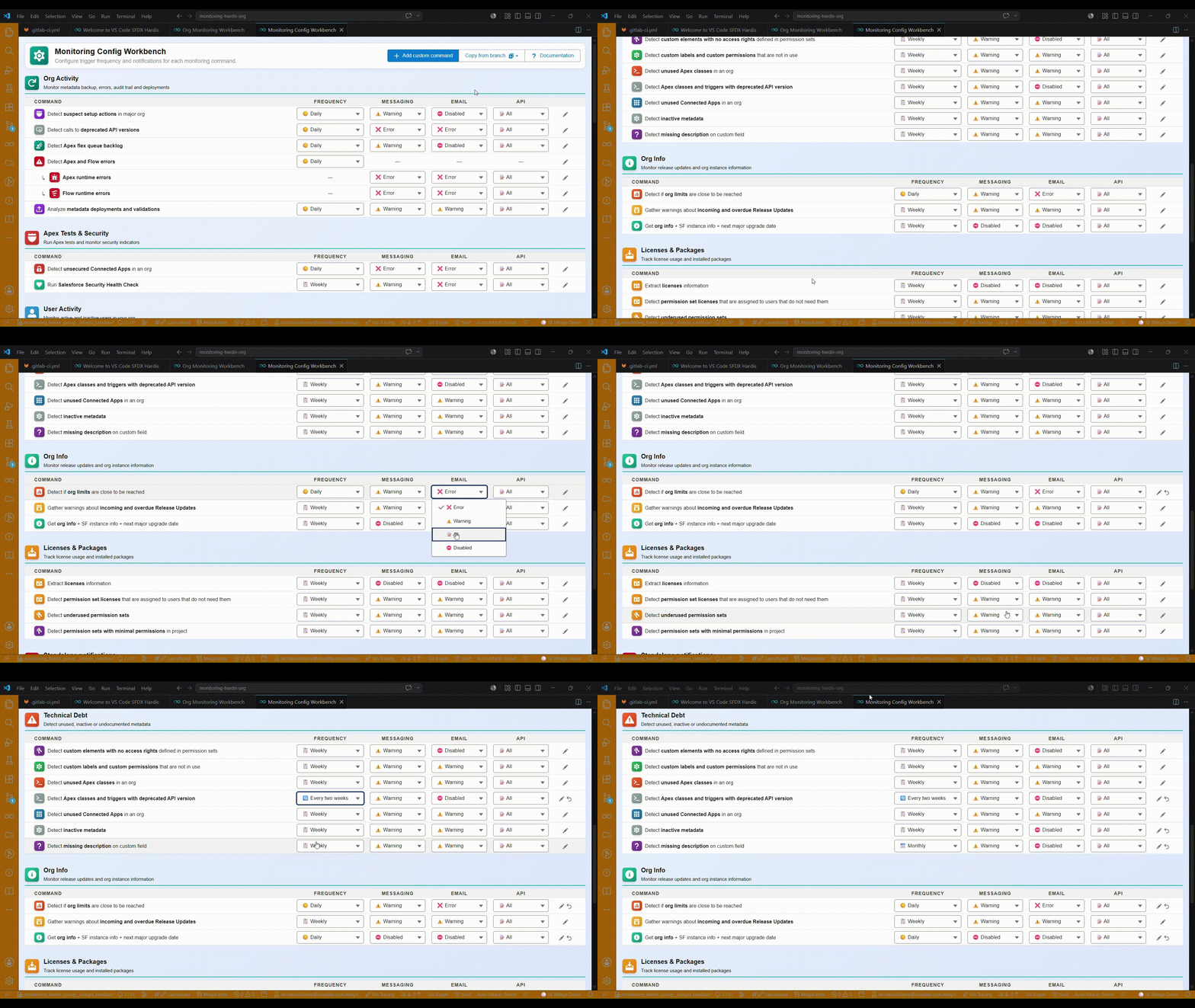
"This feature worked yesterday in production, but today it crashes. What happened?" Sfdx-hardis Monitoring answers that question in seconds.
Why monitor your orgs?
- See exactly what changed: Salesforce Audit Trail tells you who updated what, but not the before/after. A git-based metadata backup gives you the full picture.
- Catch problems early: failing Apex tests, security issues, deprecated API calls, org limits, overdue Release Updates are all surfaced automatically.
- Stay admin-friendly: works on any API-enabled org. No CI/CD project required.
- Route the right signal to the right channel: stream everything to Grafana while keeping Slack and Teams reserved for warnings and errors only.
- Ask a coding agent: open the monitoring repository in Claude Code, Codex, Gemini or Copilot and ask what changed, when, and whether it came through your CI/CD pipeline.
What gets monitored
Configuration changes
- Daily metadata backup with full git history
- Detection of suspect setup actions in Audit Trail
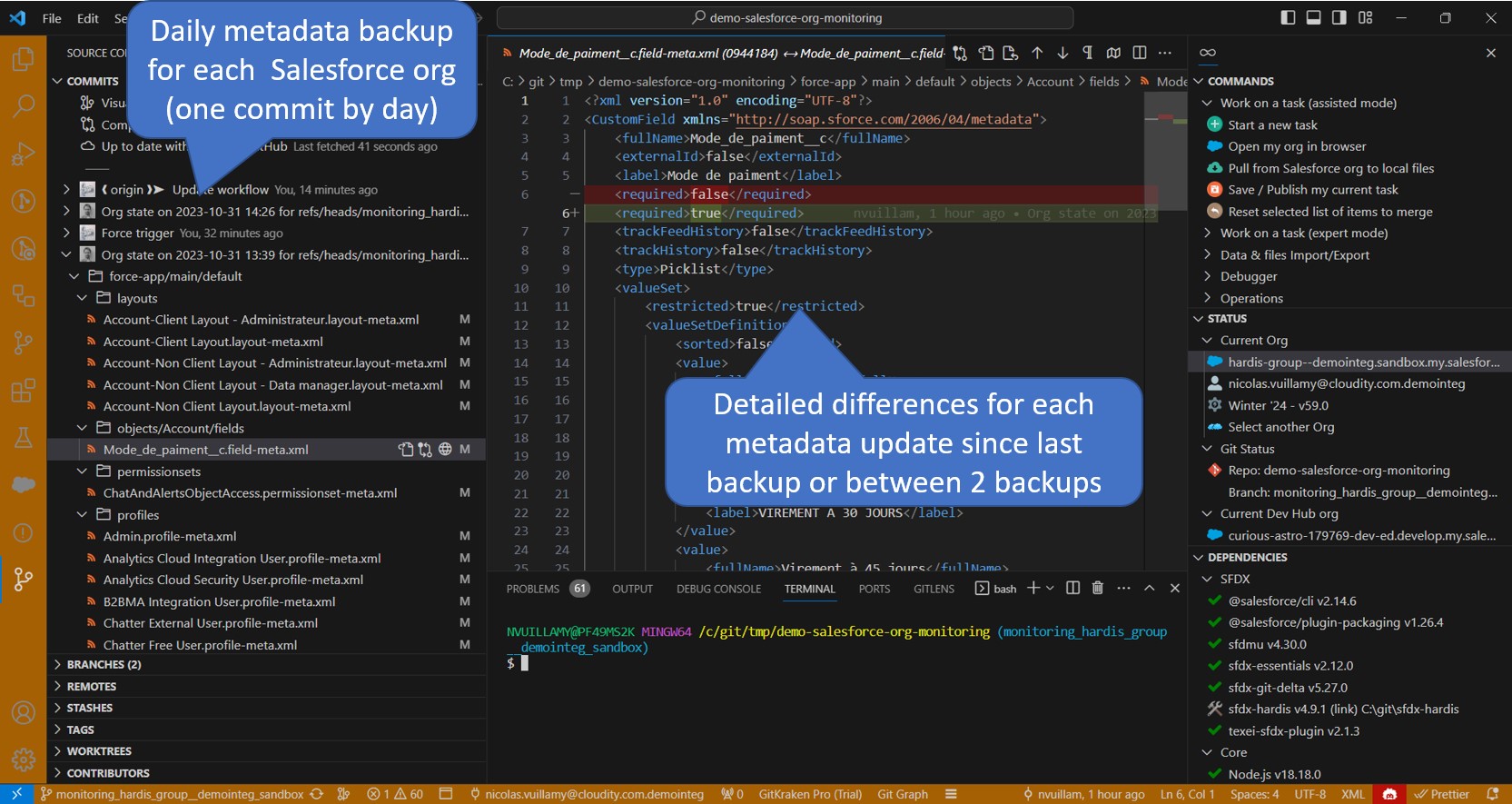
- Visual diff of every change between two backups
Quality and security
- Apex tests (and soon Flow tests)
- Code quality and security analysis with MegaLinter
- Salesforce Security Health Check
- Unsecured Connected Apps
Org health
- Org limits and Apex flex queue backlog
- Apex and Flow runtime errors
- Calls to deprecated API versions
- Metadata deployments and validations
- Next major Salesforce upgrade date and incoming Release Updates
Users and licenses
- License usage and unused permission set licenses
- Active users without recent logins
- Underused or minimal permission sets
Unused metadata
- Custom labels, custom permissions, Apex classes, Connected Apps, inactive metadata
- Missing descriptions on custom fields
- Custom elements with no access rights in any permission set
Custom checks
- Your own custom command lines defined in
.sfdx-hardis.yml
A look inside
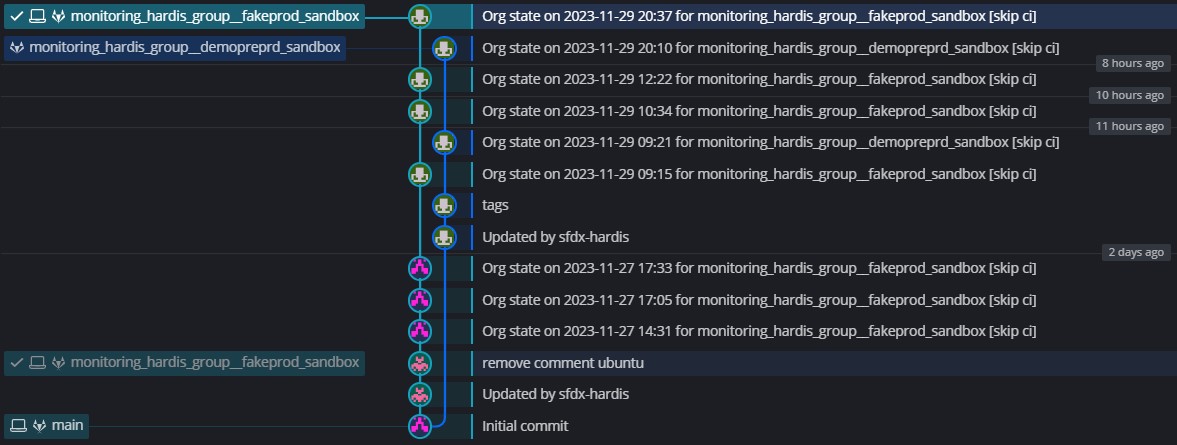
Browse the monitoring git repository to see every metadata change, commit by commit.
Inspect diffs with GitLens to see exactly what was added, removed, or modified.
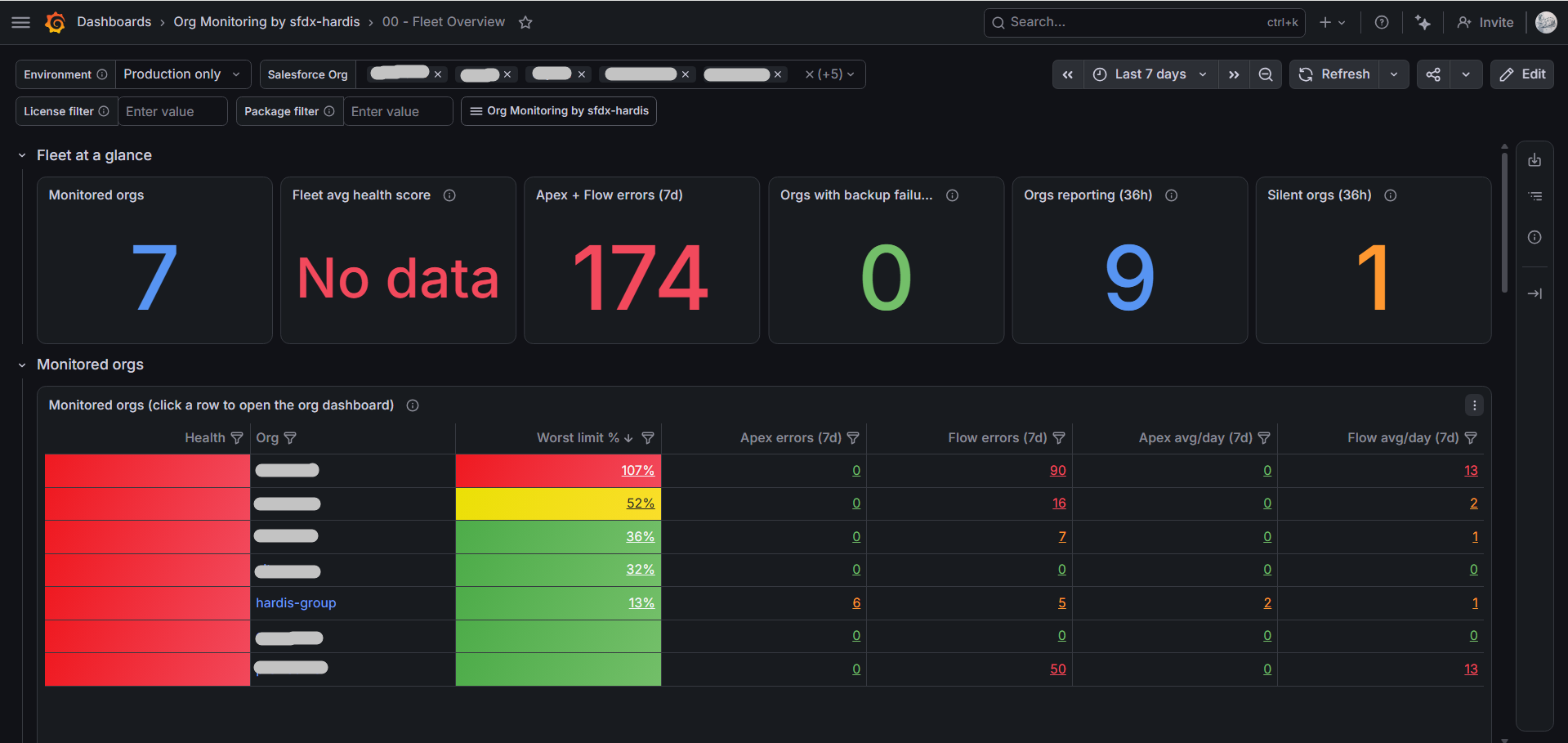
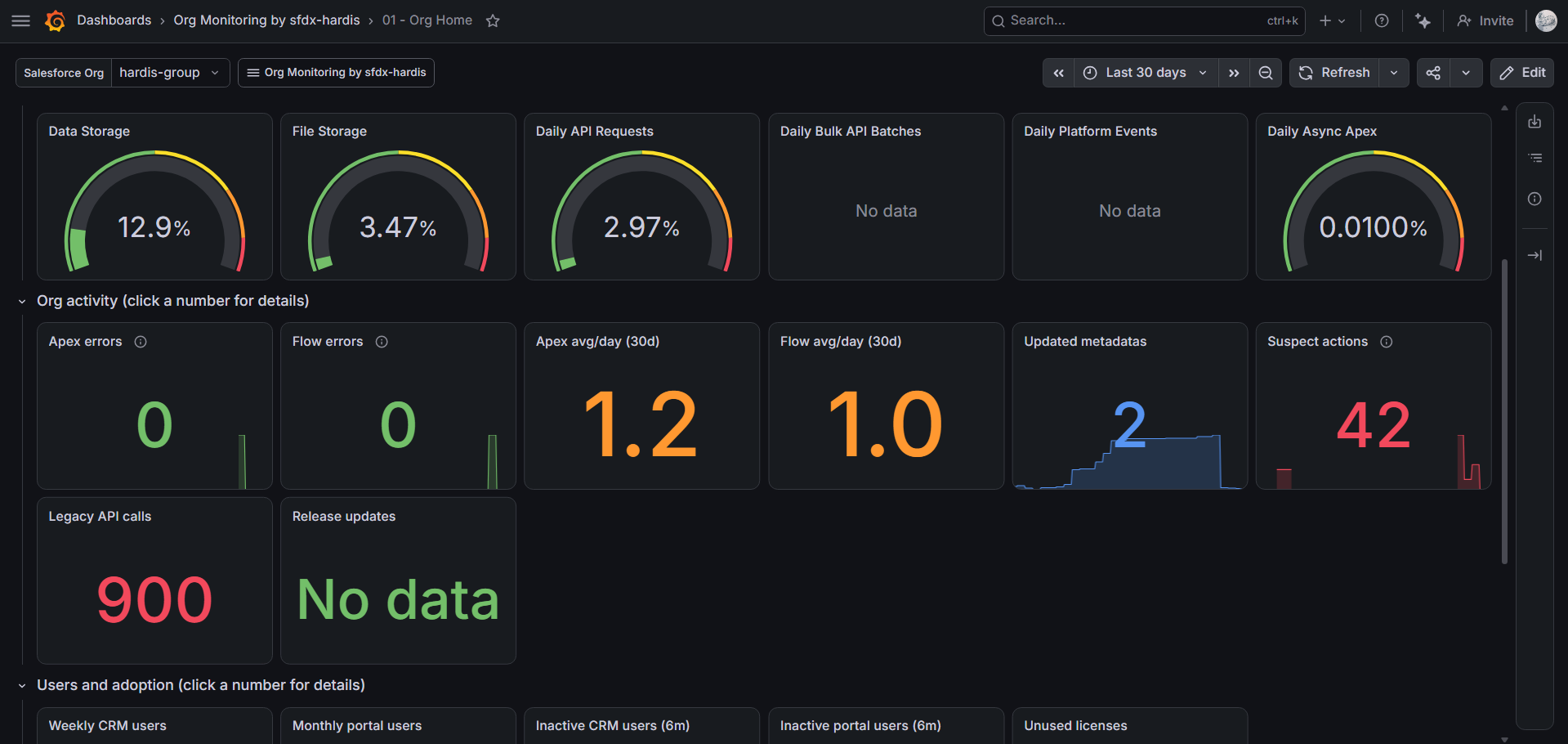
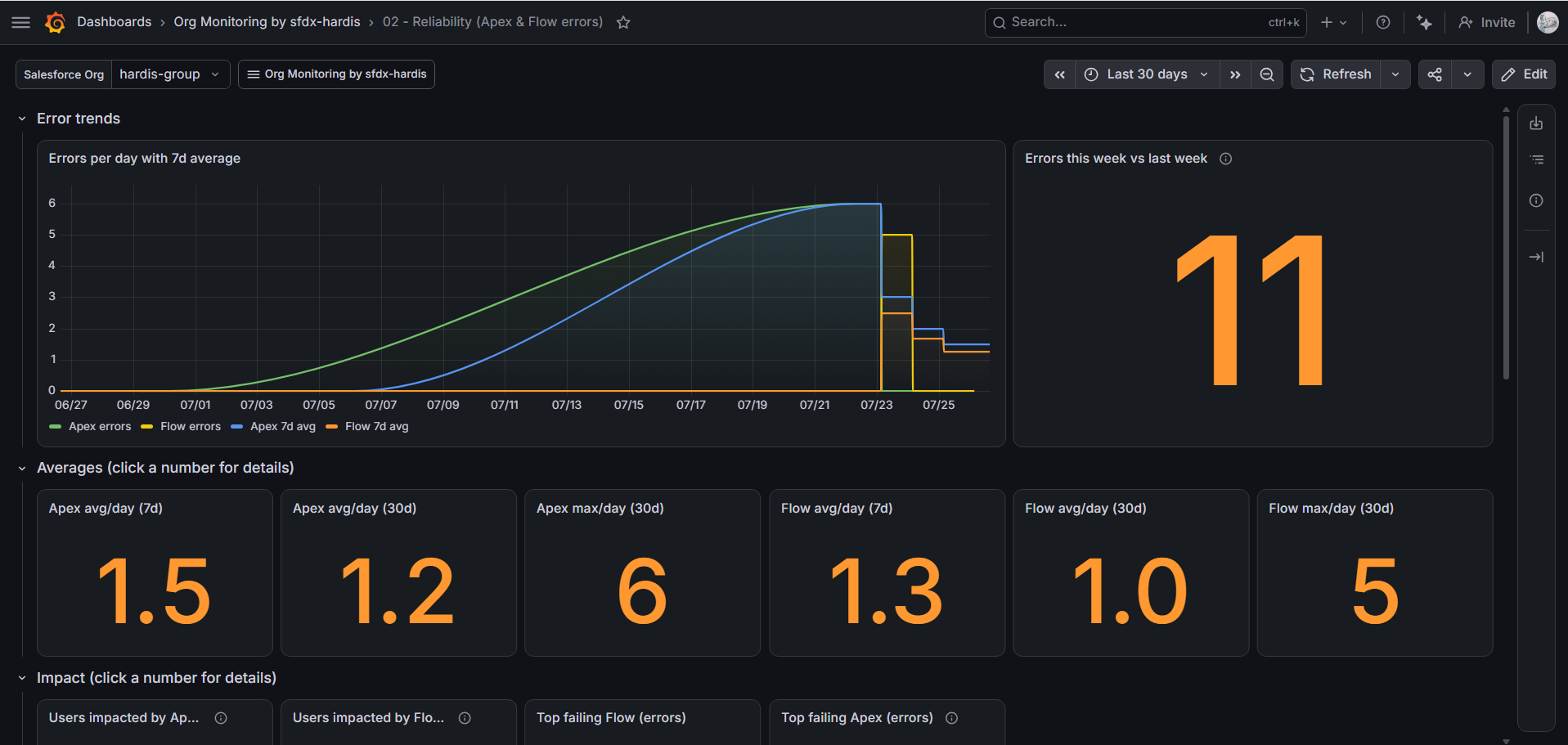
Track trends across all your orgs with the Org Monitoring by sfdx-hardis Grafana dashboards: fleet overview, averages, limit forecasts, org health score, and a ready-to-enable alert pack.
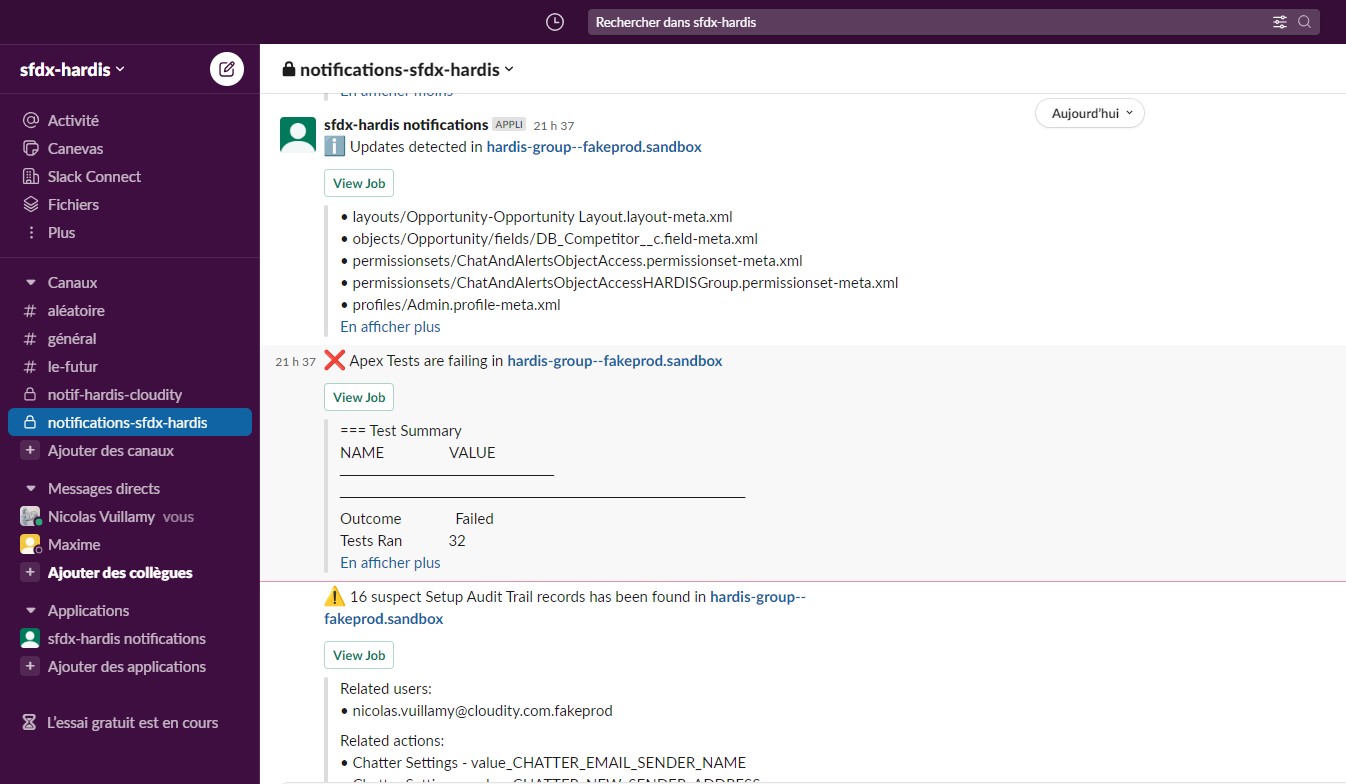
Get Slack or Teams notifications when something needs attention.
Ask your coding agent
Each backup writes an AGENTS.md file at the root of the monitoring repository. It tells a coding agent (Claude Code, Codex, Gemini, Copilot...) how the monitoring works, what each file holds, and how to read the git history. Open the repository with your agent and ask:
- "What changed in production last week?"
- "When was the
Check_VATvalidation rule last modified, and what changed?" - "Write the report of the changes between March 1 and March 31."
- "Is
Invoice__c.Status__cthe same in production and in the UAT sandbox?"
Set deploymentRepository to the address of your sfdx-hardis CI/CD repository, and the agent also searches its branches, its Pull Requests and the pipeline logs of both repositories:
- "Was this Flow change deployed by the pipeline, or made directly in production?"
- "Which Pull Request brought this Apex class to production, and when?"
- "Why did last night's deployment to UAT fail?"
- "Why did last night's backup fail?"
Set grafanaUrl too, with a read-only Grafana token in a .env file, and the agent also queries the logs and metrics your monitoring sends to Grafana:
- "How did the API requests limit evolve this quarter?"
- "On which days did Apex errors spike, and which classes were involved?"
The agent only reads: it never pushes, comments, starts a pipeline or changes Grafana. See Ask questions with a coding agent for the details.
How it works
Every night (or on your own schedule), a CI job extracts all metadata from the org and pushes a new commit to the monitoring repository whenever something changed.
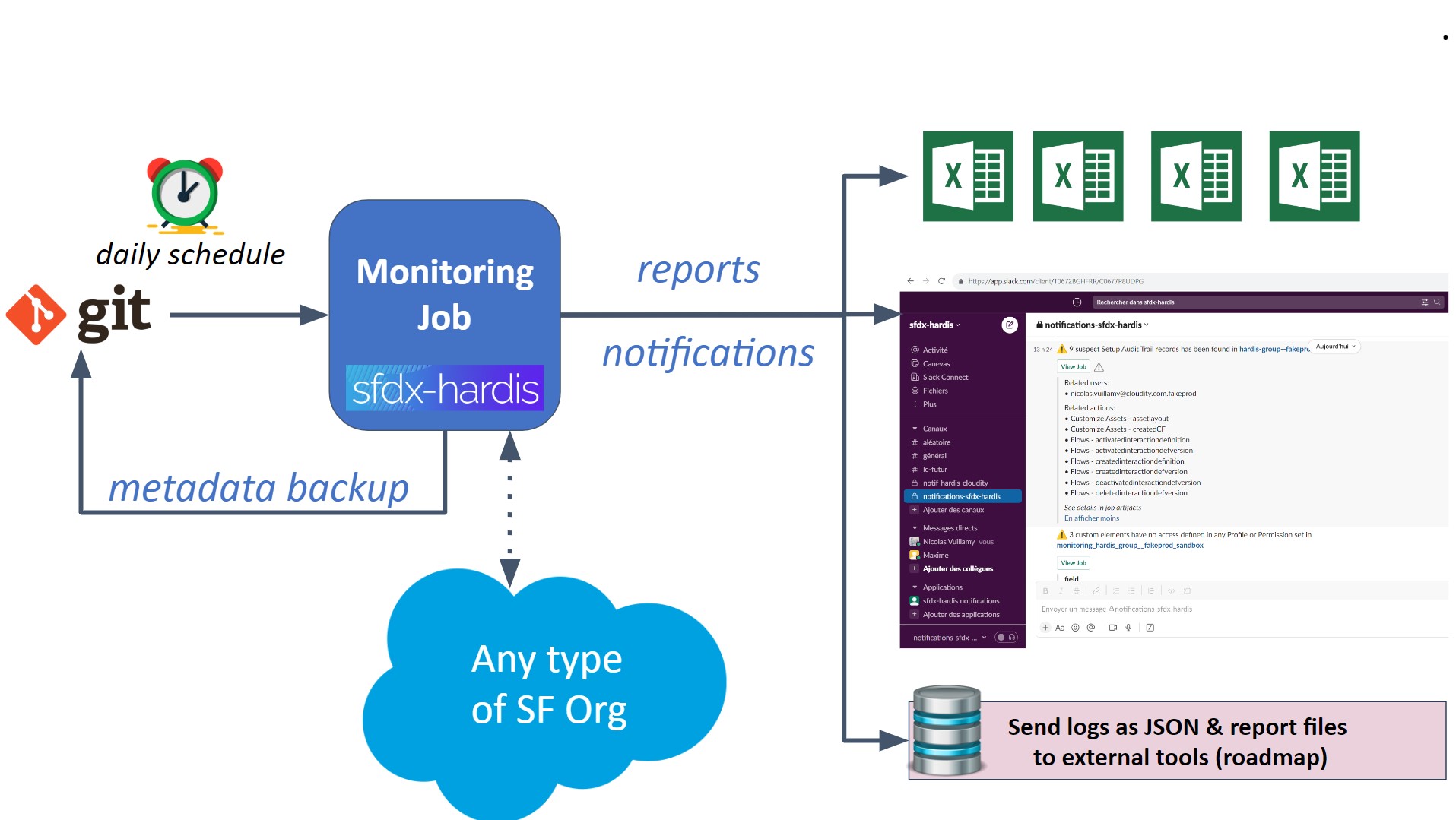
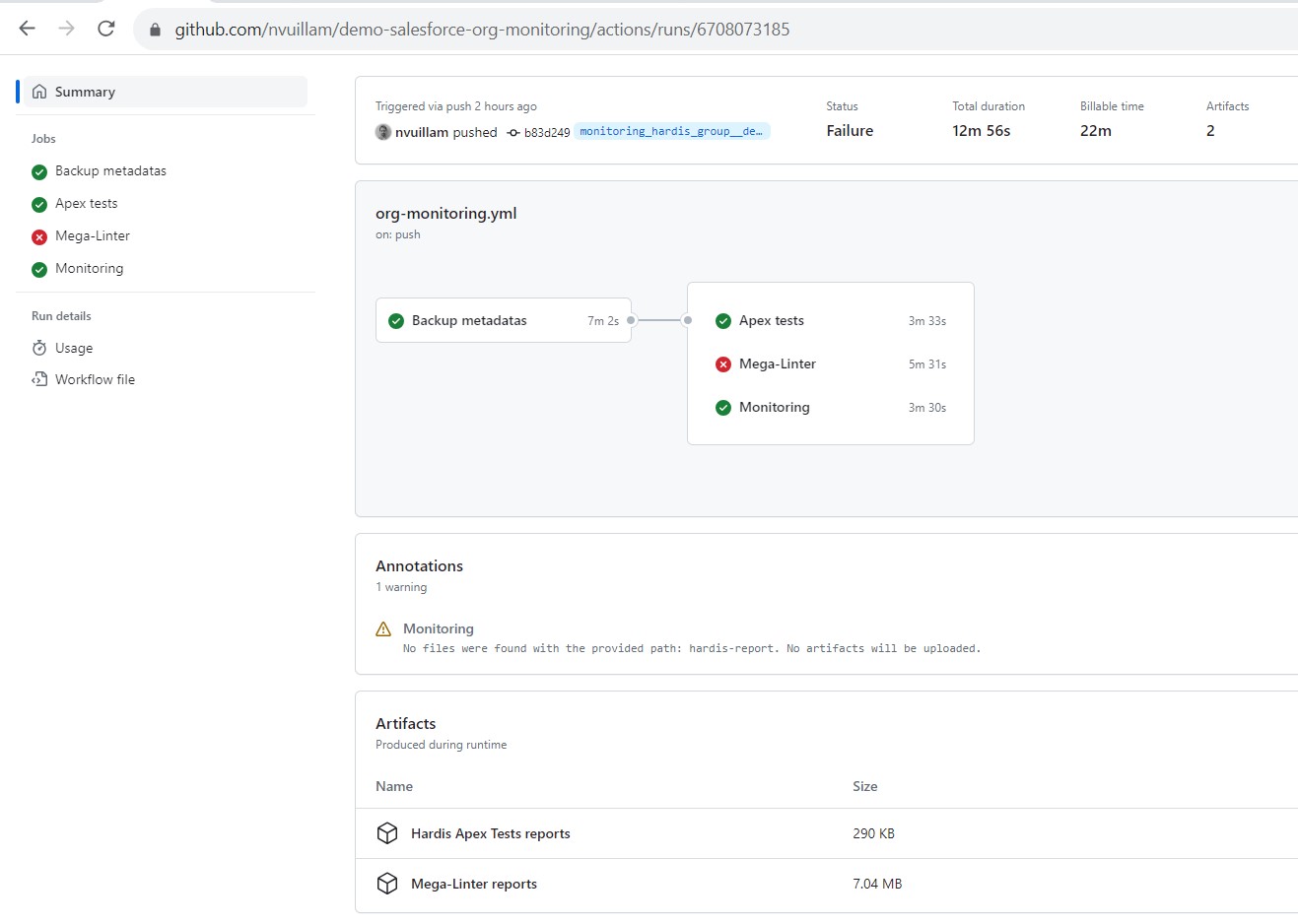
Additional jobs then run on top of the backup: Apex tests, code quality, legacy API checks, plus any custom command you define. Results are stored as job artifacts and forwarded to your notification channels.
A job that ran to its end is green, even when it found issues: failing Apex tests, a limit close to its maximum or MegaLinter errors are read in the notifications, the reports and Grafana, not in the color of the pipeline. A red job means the job itself could not run (expired authentication, crash), and that is worth a look the same day. Configure at least one notification channel, or the findings stay in the job artifacts.
Route notifications anywhere
Each notification type (audit trail, org limits, Apex tests, ...) can be configured per channel with its own severity threshold. Configure it from the VS Code SFDX Hardis extension or directly in .sfdx-hardis.yml.
- Messaging channels: Slack and Microsoft Teams
- Email: any recipient list, with per-notification-type overrides
- API / Grafana / Prometheus: external endpoints for dashboards (e.g. Grafana Loki, Prometheus)
Personal data stays private: when monitoring runs in CI, usernames, emails, user Ids and client IPs are replaced by stable pseudonyms in generated reports and in every notification channel, so dashboards and shared files carry no readable end-user identity. Levels and overrides are described in Security & Privacy.
Customize the cadence
Most checks run daily; less critical ones run weekly (Saturday by default) to avoid overflowing your channels.
Every command is configurable in .sfdx-hardis.yml via the monitoringCommands property. Supported frequencies: daily, weekly, biweekly, monthly, off. Pick the day with frequencyDay (monday..sunday) or frequencyDayOfMonth (1..31). Pass --force-all to hardis:org:monitor:all (or set MONITORING_IGNORE_FREQUENCY=true) to run everything regardless of cadence.
See Monitoring configuration for full examples.
All monitoring commands
Next steps
- Configure monitoring on your orgs: step-by-step setup guide.
- Pair it with project documentation: regenerate docs automatically on every backup.
- Watch the Dreamforce 24 talk: live demo from San Francisco.
Dreamforce 24 presentation
Prefer reading? Here are the slides:
Learn by doing
The free Salesforce DevOps with sfdx-hardis course does this, click by click, on an org of your own: