GitHub Actions
Define sfdx-hardis environment variables
- Go to Repository -> Settings -> Secrets and variables -> Actions (you must have GitHub permissions to access this menu)
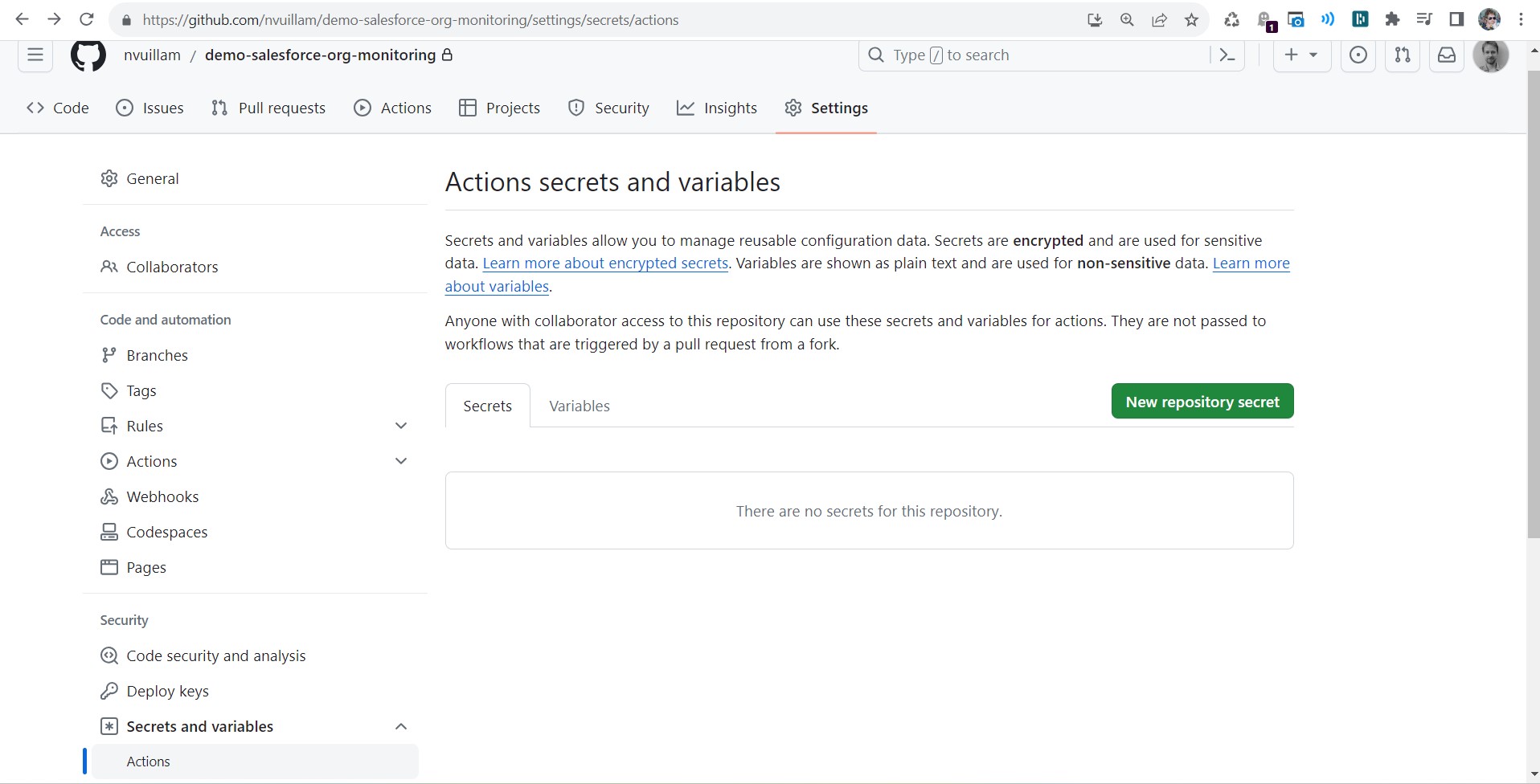
- Create a new secret with the following info:
- name: YOUR_VARIABLE_NAME
- value:
Your variable value
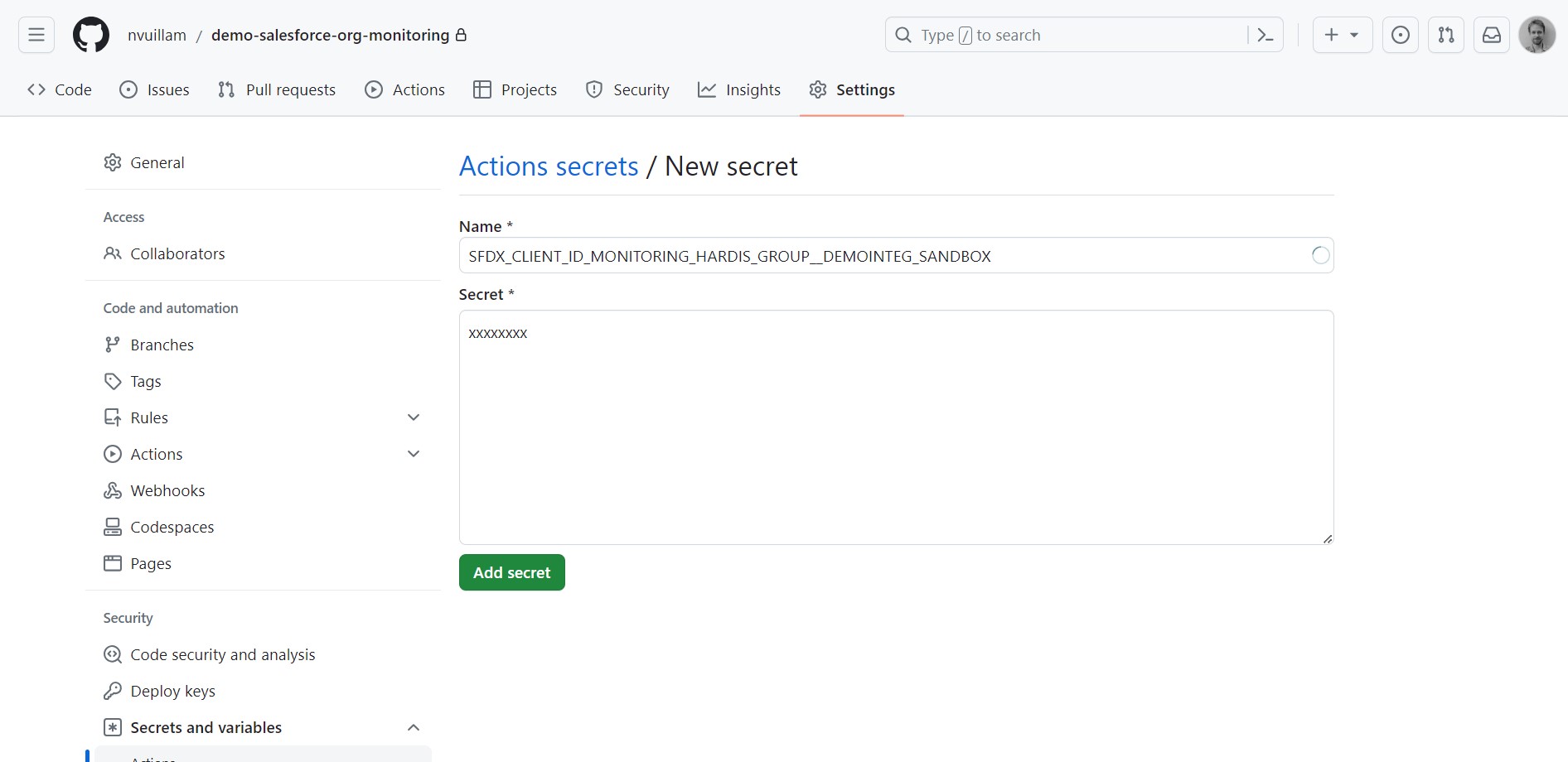
More info: GitHub documentation
Reference variables in your pipeline YAML files
Once you have defined your secret variables in GitHub Actions, reference them in your pipeline YAML files with the syntax VARIABLE_NAME: ${{ secrets.VARIABLE_NAME }}, so that their values are passed to the pipeline.
Example:
          SFDX_CLIENT_ID_MY_ORG: ${{ secrets.SFDX_CLIENT_ID_MY_ORG }}
          SFDX_CLIENT_KEY_MY_ORG: ${{ secrets.SFDX_CLIENT_KEY_MY_ORG }}
Impacted YAML files, if present in your repository:
.github/workflows/check-deploy.yml.github/workflows/process-deploy.yml.github/workflows/org-monitoring.yml
Auto-fix branches
Default CI templates skip steps that run sf hardis commands when the current branch starts with auto-fix/.
This prevents recursive or redundant deploy/check executions on auto-generated fix branches.