GitHub
- Pre-requisites
- Run sfdx-hardis configuration command
- Define sfdx-hardis environment variables
- The workflow on main
- Schedule the monitoring job
Pre-requisites
- A repository dedicated to monitoring, with
monitoringin its name, cloned on your computer - GitHub credentials allowed to push workflow files (the
workflowscope): the command pushes.github/workflows/org-monitoring.yml, and GitHub refuses that push from credentials without it
Run sfdx-hardis configuration command
- Run command Configuration -> Configure Org Monitoring in the VS Code SFDX Hardis extension, or click Install Org Monitoring in the Org Monitoring Workbench: both run the same command. Then follow the instructions.
- Run it once per org to monitor: each org gets its own git branch, named
monitoring_followed by the org domain
Define sfdx-hardis environment variables
The command stops and asks you to confirm when the variables are set. Define them at that moment, before you answer:
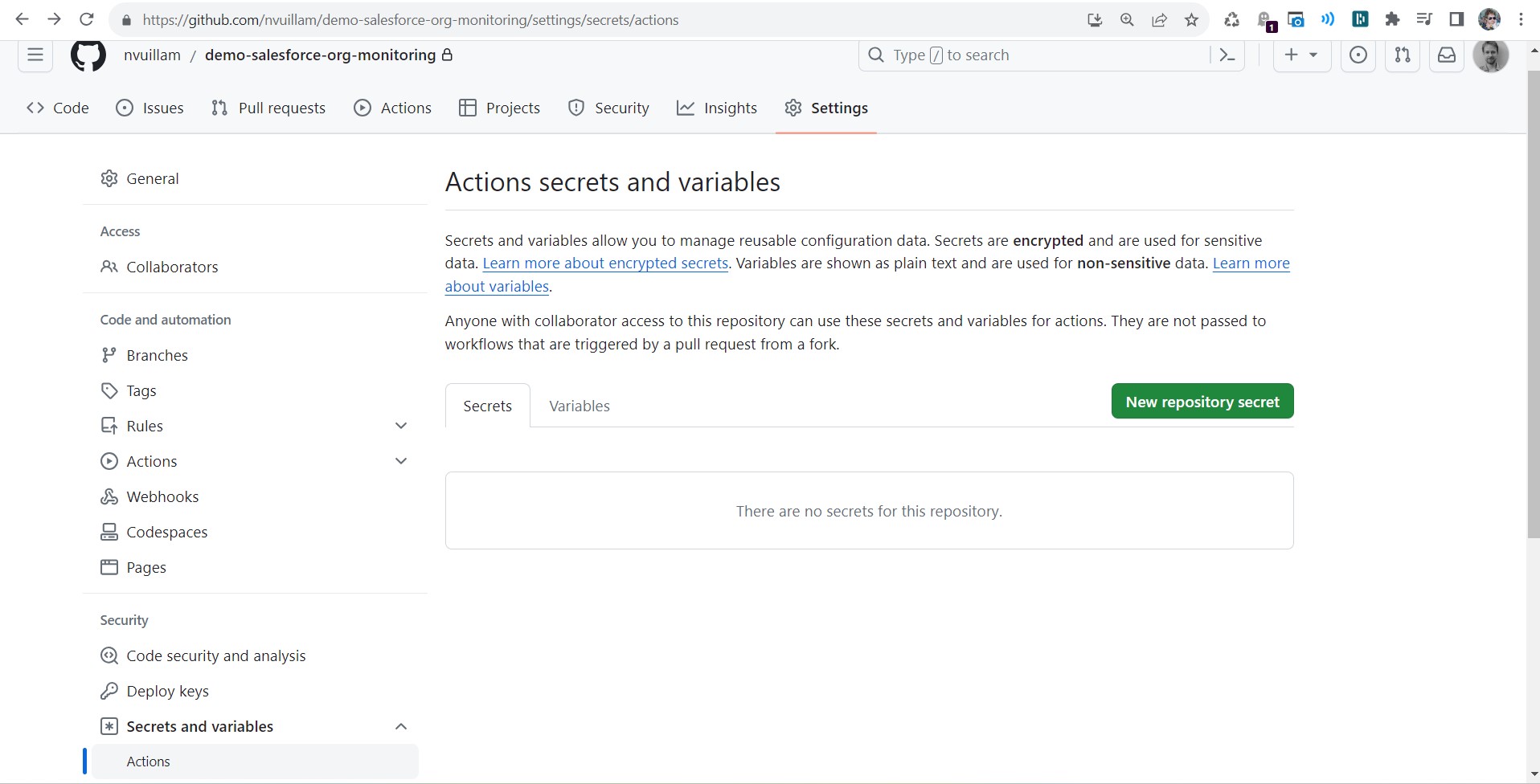
- Go to Repository -> Settings > Secrets and variables -> Actions (you must have GitHub authorizations to access this menu)
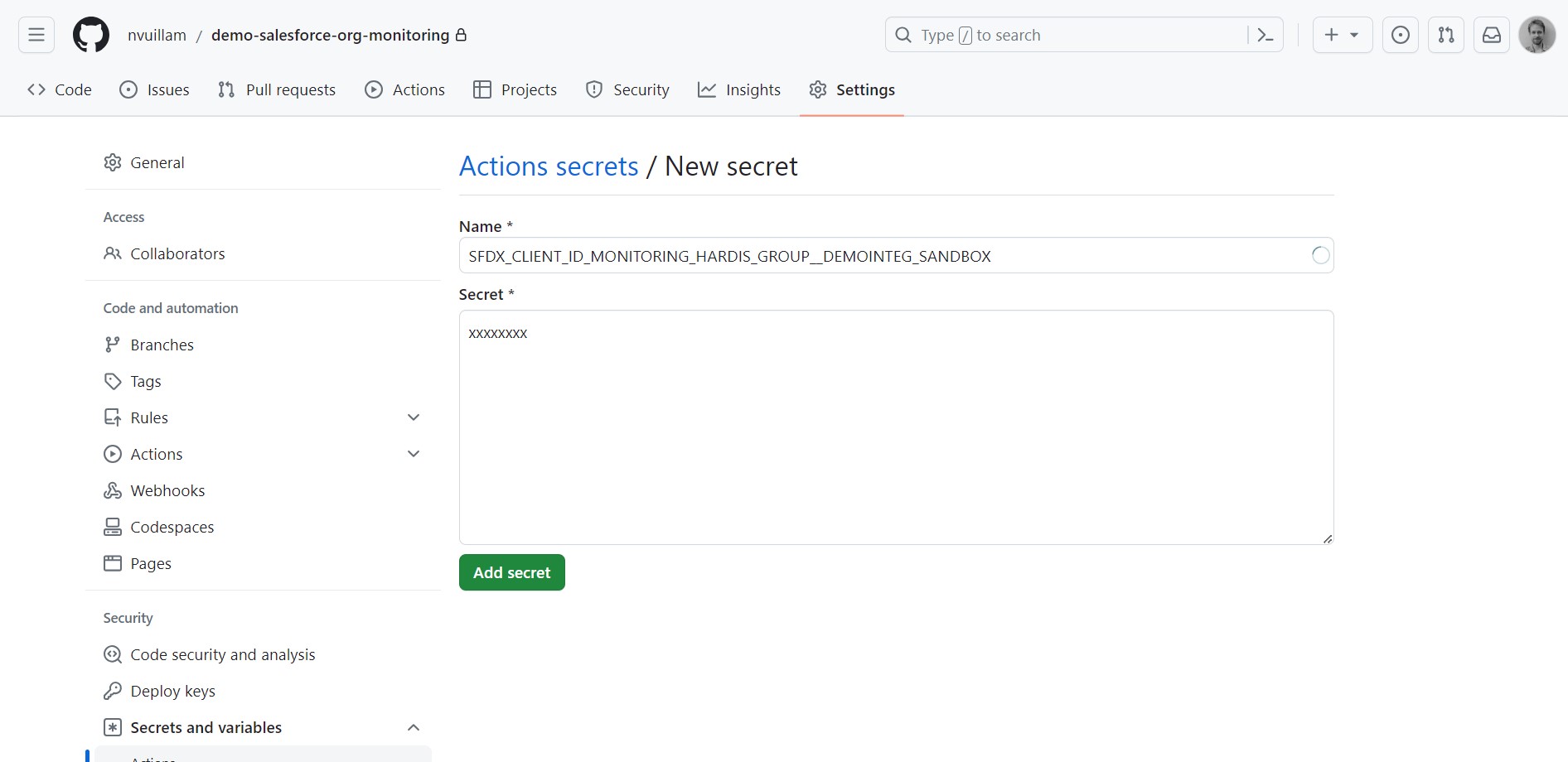
- For each variable the sfdx-hardis command Configure org monitoring tells you to define, click New repository secret and enter the name and value given in the sfdx-hardis command logs
Each run of the command creates a new certificate: if you run it again for the same org, store the two new values it gives, they replace the previous ones.
The workflow on main
On GitHub Actions, scheduled workflows only run on the default branch, and Run workflow is only offered for the workflows of that branch.
At its end, the command writes .github/workflows/org-monitoring.yml on main with the monitored branch and its two variables in it, keeping the orgs already listed, then pushes main. A single GitHub Actions job (using a matrix) runs the monitoring of all orgs.
- Never merge a monitoring branch into
main.mainholds the workflow only, each org lives on its own branch. A merge brings the example workflow of the branch tomain, and its jobs fail on branches calledmonitoring_myclient - If the push is refused with refusing to allow an OAuth App to create or update workflow ... without
workflowscope, sign in to GitHub again with credentials that have that scope (in VS Code: Accounts menu, sign out of GitHub, then sign in again), and run the command again: it pushes what the refused push left on your localmain - If the command says it could not write the workflow on
mainfor another reason, check outmain, copy.github/workflows/org-monitoring.ymlfrom the monitoring branch (or from org-monitoring.yml), search (Ctrl+F) for MANUAL, add your monitored branches and your authentication variable names where indicated, then commit and push
Examples:
      env:
        # MANUAL: Update variables below !
        SFDX_CLIENT_ID_MONITORING_MY_CLIENT__INTEG_SANDBOX: ${{ secrets.SFDX_CLIENT_ID_MONITORING_MY_CLIENT__INTEG_SANDBOX}}
        SFDX_CLIENT_KEY_MONITORING_MY_CLIENT__INTEG_SANDBOX: ${{ secrets.SFDX_CLIENT_KEY_MONITORING_MY_CLIENT__INTEG_SANDBOX}}
        SFDX_DEPLOY_WAIT_MINUTES: ${{ vars.SFDX_DEPLOY_WAIT_MINUTES || '120' }}
Schedule the monitoring job
The schedule is already included in org-monitoring.yml on the main branch.
The default is every day at midnight, but you can update the CRON expression.
on:
  push:
  # Automatically run every day at midnight
  schedule:
    - cron: "0 0 * * *" # Cron format -> https://crontab.cronhub.io/
Learn by doing
The free Salesforce DevOps with sfdx-hardis course does this, click by click, on an org of your own: