Org Monitoring Workbench
The Org Monitoring Workbench lists every monitoring and diagnostic command of sfdx-hardis, grouped by theme: org activity, Apex tests and security, user activity, technical debt. Each card runs its command against the selected org in one click.
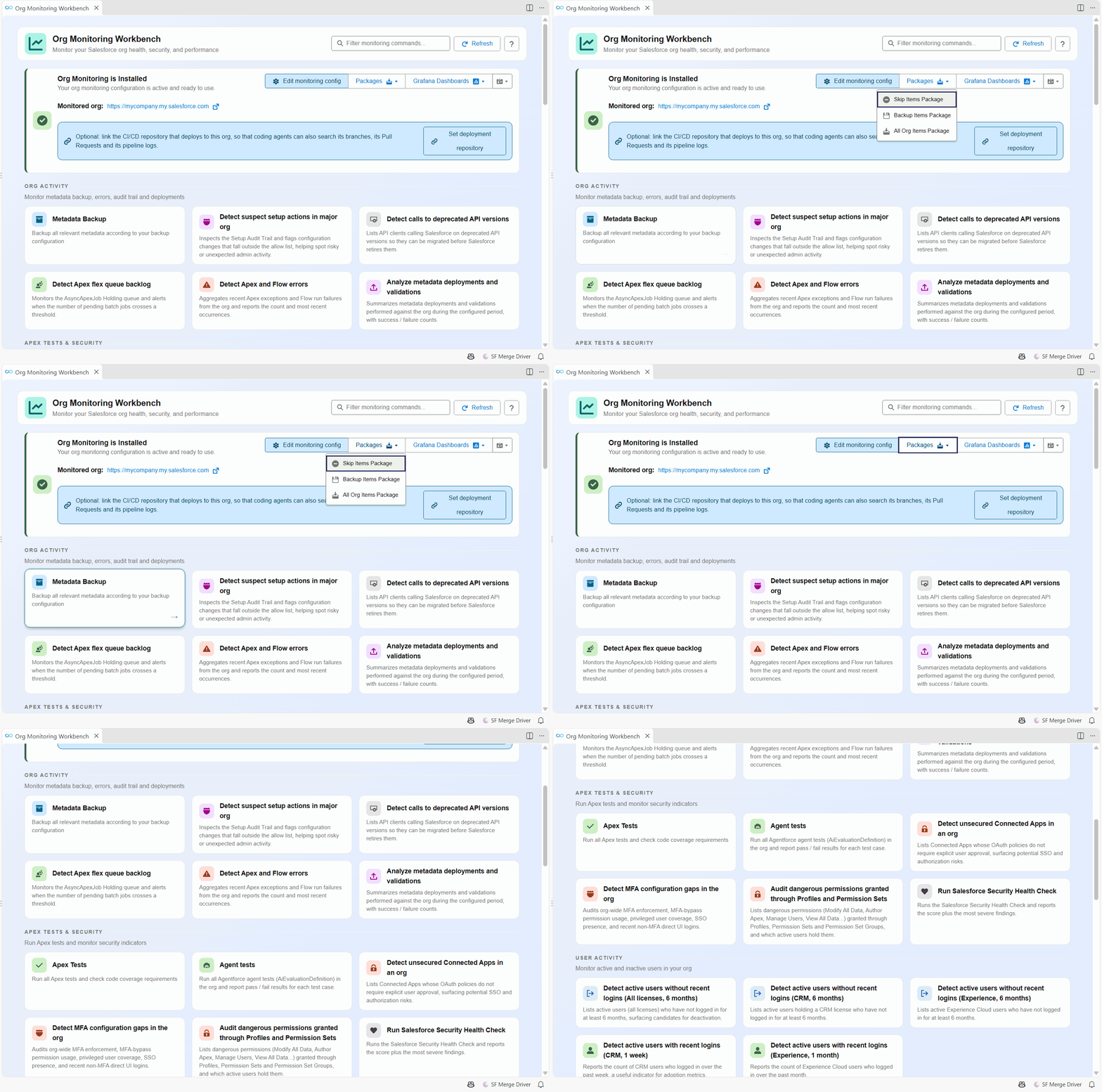
It is also the entry point of a monitoring repository: from here you open its configuration and the lists of metadata the nightly backup keeps. What monitoring is and how to set it up is explained in Org Monitoring.
Open it
- Click Org Monitoring in the side bar.
- Click the Org Monitoring card of the Welcome panel.
Run a check
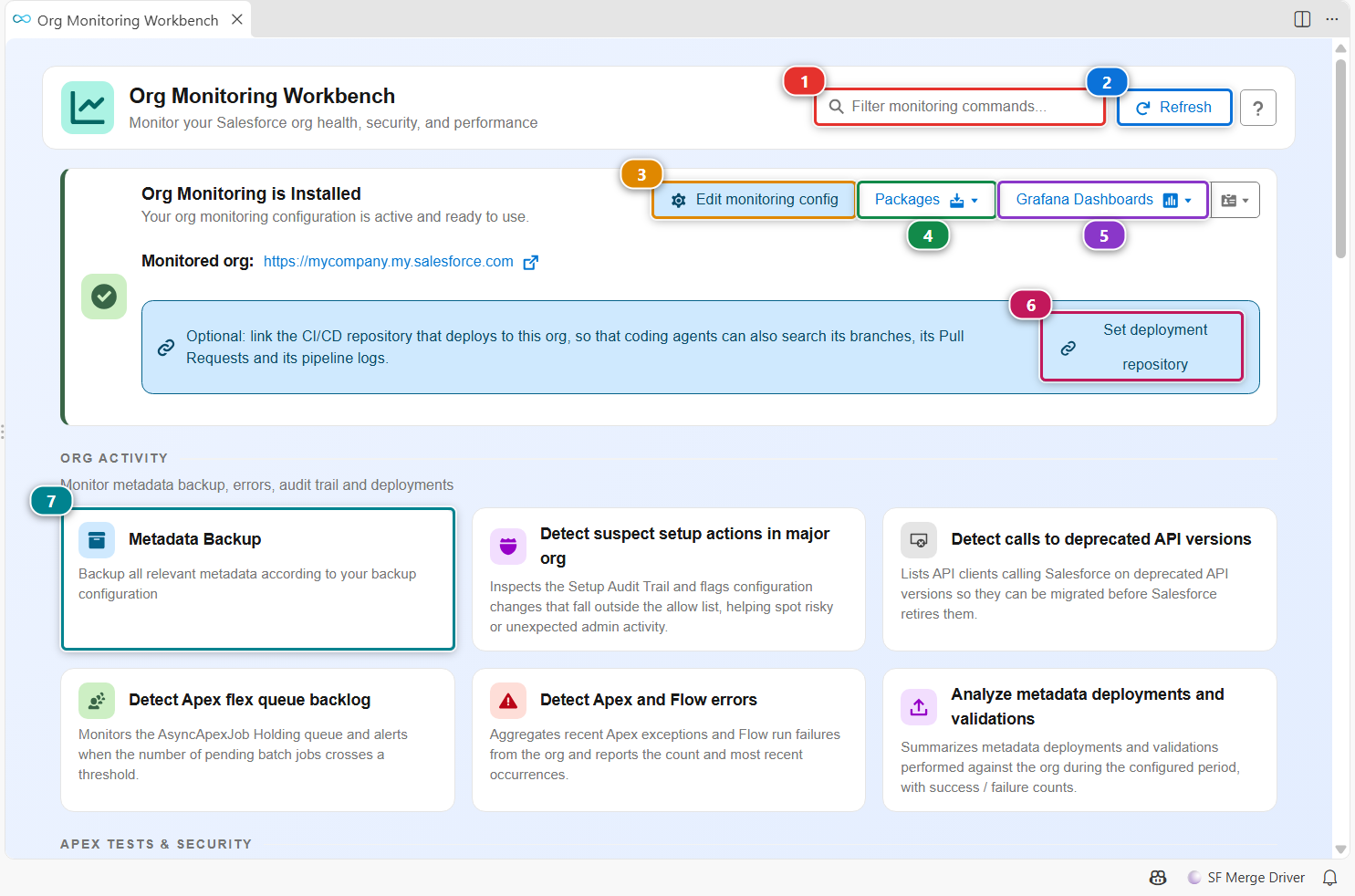
- Type a few letters in (1) to find a check, for example
apexorbackup. - Click its card (7). The command runs against your default org, in a command execution panel that shows its progress and its reports.
- (2) checks again whether monitoring is installed in the current repository.
When the current repository is a monitoring repository, the banner at the top says so and adds its tools:
- (3) opens the monitoring configuration: which checks run, how often, and where notifications go.
- (4) opens the package files of the backup (see below).
- (5) opens the Grafana dashboards of the org, when Grafana is configured.
- (6) stores the address of the CI/CD repository that deploys to this org (
deploymentRepositoryin.sfdx-hardis.yml), so coding agents that read the monitoring repository can also search its branches, Pull Requests and pipeline logs.
When the repository is not a monitoring repository, the banner offers to install monitoring instead.
See what the backup keeps
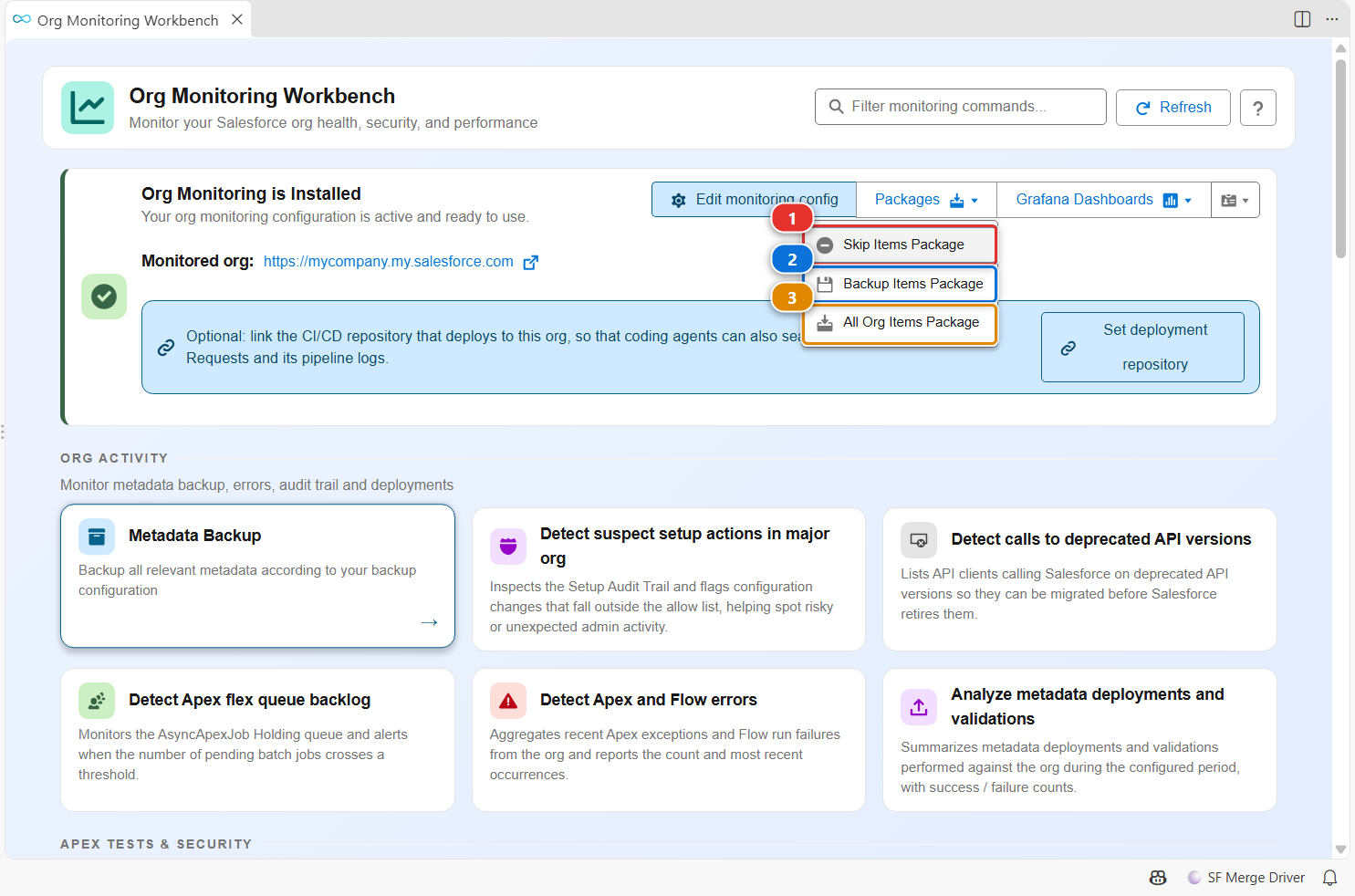
The nightly metadata backup works from three lists, each opened in a visual editor:
- (1)
manifest/package-skip-items.xml: metadata the backup ignores. Add the types or members you do not want to track. - (2)
manifest/package-backup-items.xml: metadata the backup keeps. - (3)
manifest/package-all-org-items.xml: everything the org contains, as found by the last backup.
Customize
What runs, when, and who is notified is set in the monitoring configuration (Edit monitoring config), stored in .sfdx-hardis.yml of the monitoring repository. See Monitoring configuration.