Development orgs list
While developers build User Stories in their sandboxes and scratch orgs, the team merges other User Stories in the major branch these orgs target (integration, uat...). Every merge is something the orgs do not have yet, until their owner runs a backpromote.
sfdx-hardis keeps the list of these development orgs, with the branch each of them targets, its owner and its users. For each org, it counts the Pull Requests merged into its target branch since its last backpromote, so its owner knows when to run the next one.
Where you see it
-
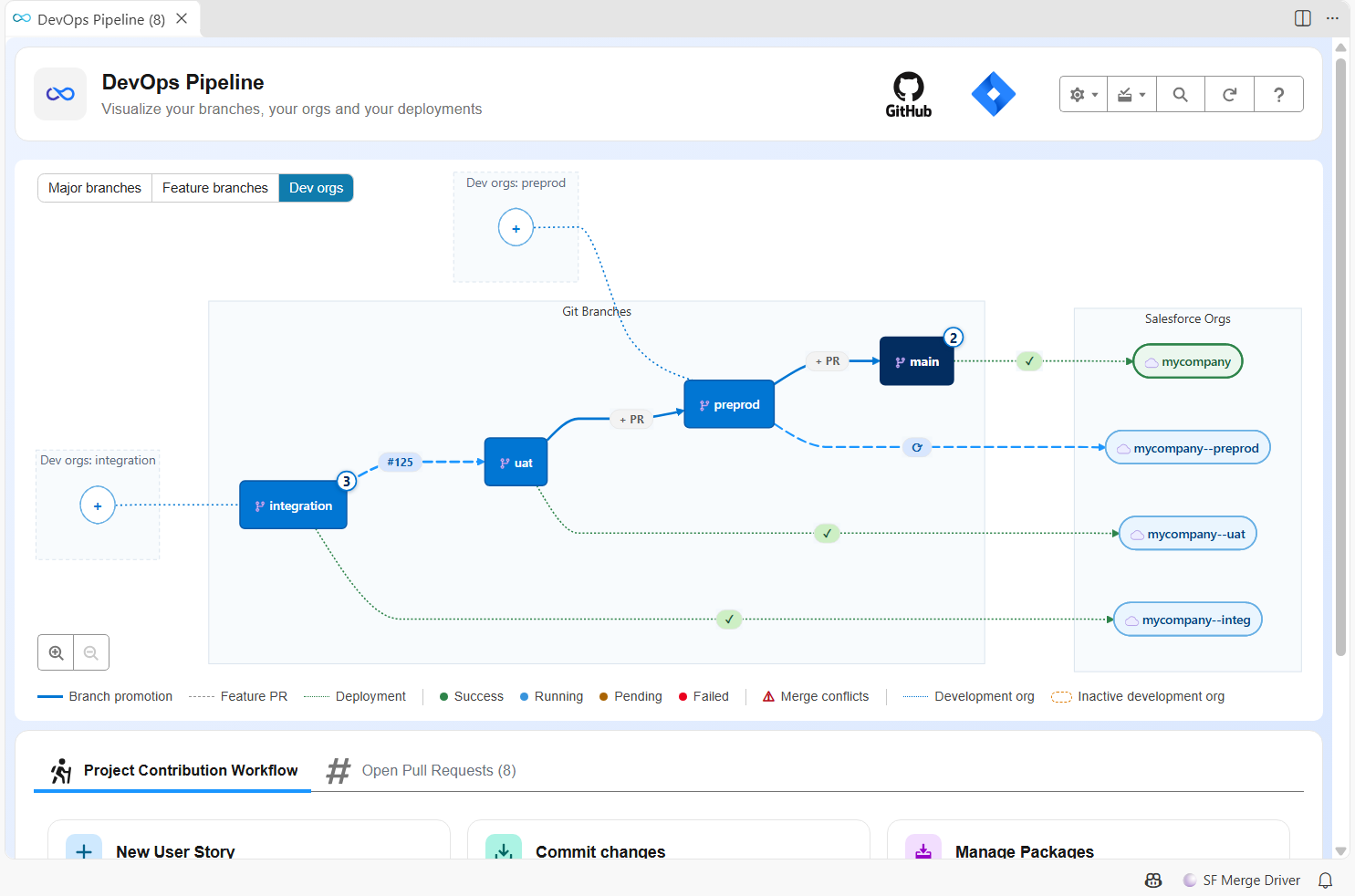
In VS Code, the switch in the top left corner of the DevOps Pipeline diagram shows the Major branches, the Feature branches (the default) or the Dev orgs: the major branches, with the development orgs that target each of them on their left, linked by a dotted line. The orange chip on a line is the number of Pull Requests the org misses, to backpromote: click it to open the backpromote of that org from its target branch. No chip means the org is up to date. Click an org to see its owner, its users and what it misses, and to run a backpromote, edit it or remove it. A target branch no org targets yet shows a + node: click it to register an org for that branch.
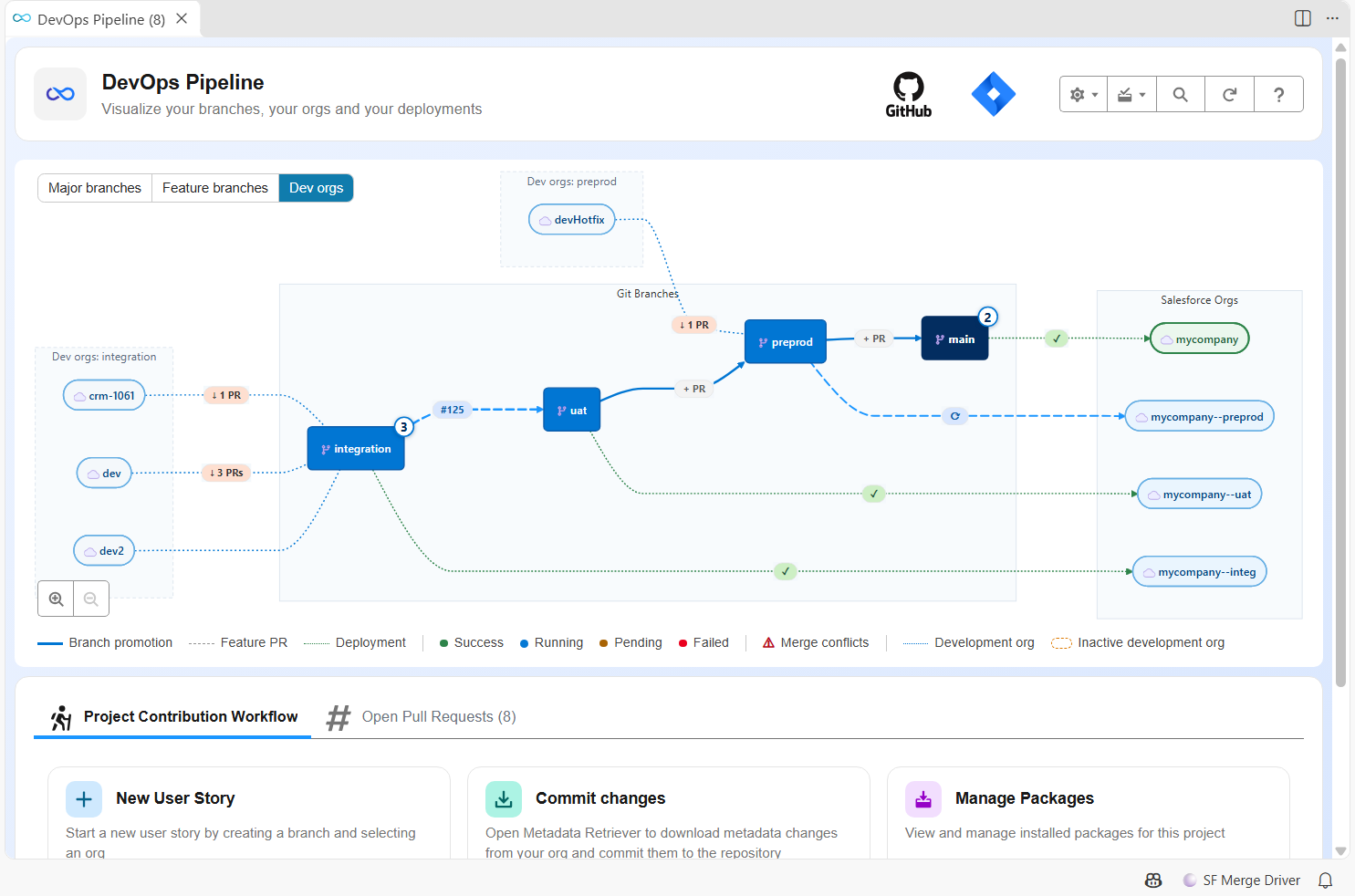
Here, the BUILD team works on integration:
devmisses 3 Pull Requests merged into integration since its last backpromote, the scratch orgcrm-1061misses 1, anddev2has them all. The RUN team fixes production fromdevHotfix, which targets preprod and misses the last promotion of uat into preprod. An org nobody used for 30 days is drawn as inactive.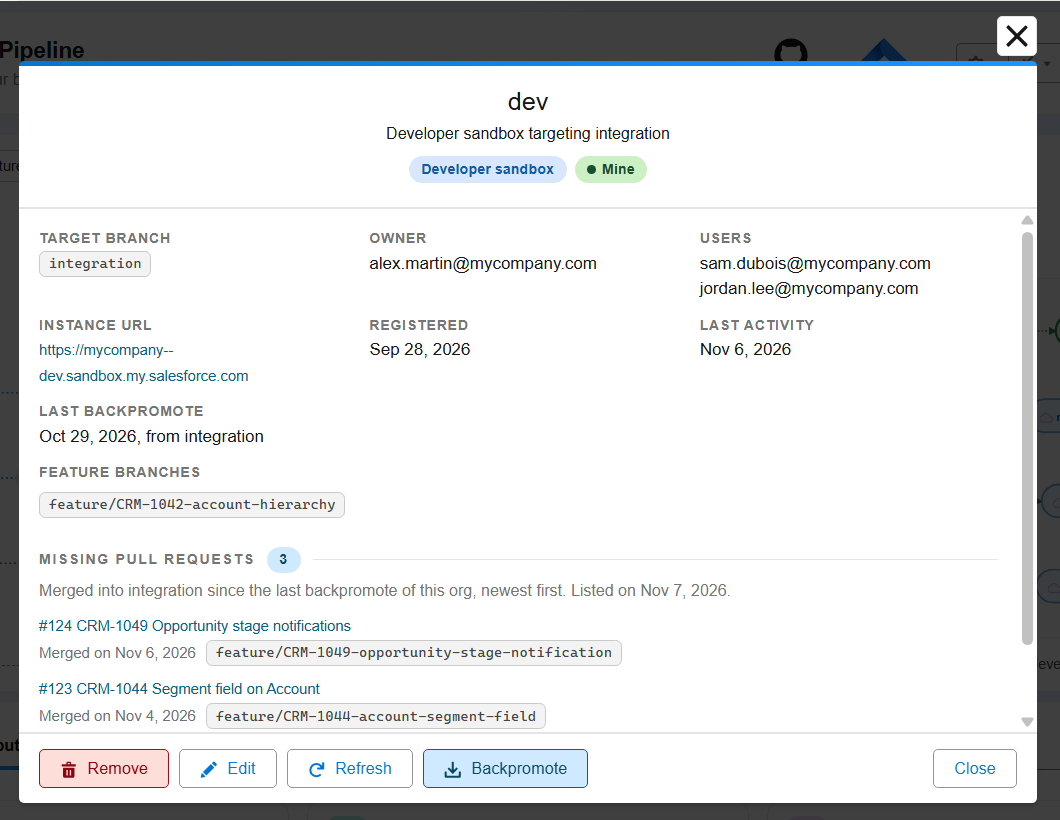
- On your git provider, the list is a "Development Orgs Dashboard": an issue on GitHub and GitLab, a work item on Azure DevOps, a dedicated Pull Request on Bitbucket. sfdx-hardis rewrites its text at every update: never edit it by hand.
- In a terminal, hardis:project:dev-org:list prints the list (
--minefor your orgs only).
How an org gets in the list
You have nothing to do: sfdx-hardis registers the org you work with when you
- start a User Story in it (New User Story): you become one of its users, and its owner when it is new;
- save a User Story from it (Save / Publish);
- run a backpromote on it: the date of the backpromote is where the count starts again;
- create a sandbox with hardis:org:create: you are asked who owns it and which branch it targets.
A release manager who creates a sandbox for somebody else registers it, or changes its target branch, owner and users, from the DevOps Pipeline (the + next to a target branch in the Dev orgs view, "Register a dev org" in the settings menu, or Edit in the window of an org), or with hardis:project:dev-org:register. The command asks which of your connected orgs to register:
sf hardis:project:dev-org:register --target-org my-dev-sandbox --target-branch integration --owner "Jane Doe <jane.doe@example.com>" --users "john.smith@example.com"
Registering needs a git provider token: in VS Code, connect to your git provider from the DevOps Pipeline. Without it, the commands only say they could not register the org. On GitHub, the repository also needs its issues switched on (Settings > General > Features > Issues): a new fork has them off.
Rules
- One target branch per org. When you start a User Story in an org with another target branch than the registered one, sfdx-hardis warns you and keeps the registered branch. A release manager changes it with
--target-branch. - What is counted. Every Pull Request merged into the target branch since the last backpromote from that branch, or since the org was registered when it never received one. A Pull Request that only moves others (a major branch merged into the next one, a promotion) counts as one, and shows the Pull Requests it carries.
- When it is counted. The deployment job of a major branch counts again after each merge, for the orgs that target it. In VS Code, the Refresh button of an org counts again on demand. The DevOps Pipeline reads the last count again once an hour, when you click its Refresh button, and when you start, save or backpromote a User Story: its automatic reloads, which follow the jobs, do not.
- Stale orgs. An org with no User Story started or saved and no backpromote for 30 days is marked stale. It stays in the list: removing it is a decision of the release manager.
- Refreshed sandbox. A refreshed sandbox has a new org id: when it is registered again, it replaces its old entry, as a new sandbox.
- Expired scratch org. It leaves the list on its own.
- Deleted sandbox. Remove it from the list in VS Code, or with hardis:project:dev-org:remove.
- Who can see it. Everyone who can read the repository sees the names and emails of the owners and users.
Configuration
| Key | Default | What it does |
|---|---|---|
enableDevOrgsRegistry |
true |
Set it to false in config/.sfdx-hardis.yml to turn the list off. |
devOrgsStaleDays |
30 |
Days without activity before an org is marked stale. |
Both can be set from the Pipeline Settings of the VS Code extension.
When no development org was ever registered, the deployment jobs only look for the dashboard (one call to the git provider) and do nothing else.
How it works
- The dashboard holds one comment per org and one comment per target branch with the Pull Requests merged into it. The text of the dashboard is rebuilt from these comments.
- An update writes the new comment of an org before it deletes the old one. When the old one cannot be deleted (written by another account), the newest one counts, and a deployment job deletes the leftovers later.
- A removal is a comment too: the org stays hidden even when its comments cannot be deleted.
- The merged Pull Requests are read from the git provider, on their merge date, at most 180 days back.