Gitlab
Gitlab Merge request notes
In order to avoid to have to open job logs to see deployment errors, sfdx-hardis can post them as Notes on the Merge Request UI
To use this capability:
- Go to Settings -> Access Tokens -> Create a project access token with level Developer and scope api, and name it SFDX HARDIS BOT
- Go to Settings -> CI/CD -> Variables -> Create a variable named CI_SFDX_HARDIS_GITLAB_TOKEN and past the access token value
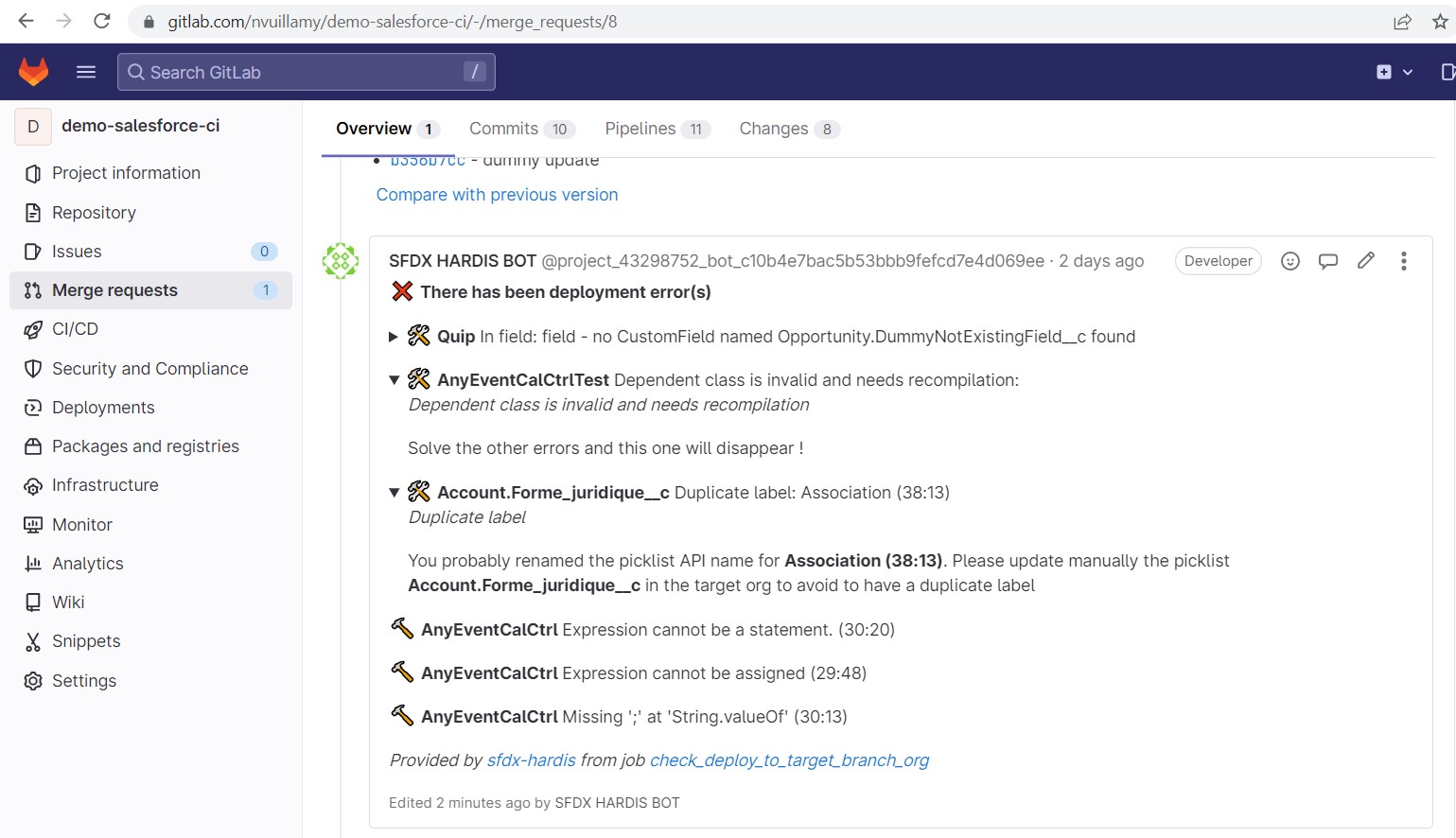
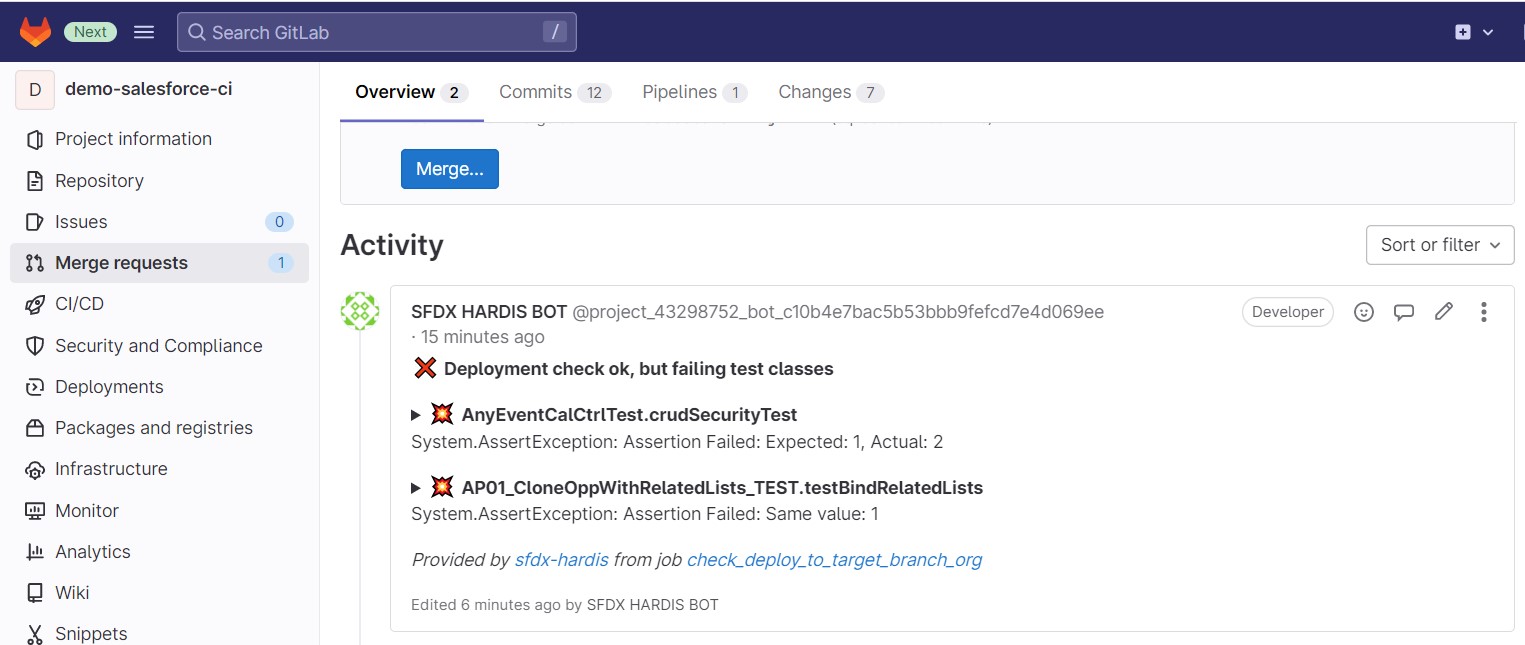
Everytime you will make a merge request, the CI job will post its result as comment !
- Example with deployment errors
- Example with failing test classes
Notes:
- This integration works with sfdx-hardis pipeline, but also on home-made pipelines, just call sf hardis:project:deploy:start instead of
sf project:deploy:start!
- This integration use the following variables:
- CI_SFDX_HARDIS_GITLAB_TOKEN
- CI_SERVER_URL (provided by Gitlab CI)
- CI_PROJECT_ID (provided by Gitlab CI)
- CI_MERGE_REQUEST_IID (provided by Gitlab CI)
- CI_JOB_NAME (provided by Gitlab CI)
- CI_JOB_URL (provided by Gitlab CI)
- GITLAB_API_REJECT_UNAUTHORIZED: set to
"false"if you want to allow connection even without certificate (can be useful on on-premise GitLab instance)
Using GitLab integration from Jenkins
When running on Jenkins, sfdx-hardis automatically detects the Jenkins environment and maps its variables to GitLab CI equivalents. You only need to set:
| Variable | Description |
|---|---|
| CI_SFDX_HARDIS_GITLAB_TOKEN | A GitLab project access token with Developer role and api scope, stored as a Jenkins credential |
The following variables are automatically derived from Jenkins built-in variables:
CI_SERVER_URL,CI_PROJECT_PATH- parsed fromGIT_URL(git remote)CI_PROJECT_ID- resolved via the GitLab API using the project pathCI_COMMIT_REF_NAME- fromGIT_BRANCH/CHANGE_BRANCHCI_JOB_URL- fromBUILD_URLCI_JOB_NAME- fromJOB_NAMECI_MERGE_REQUEST_IID- fromCHANGE_ID(Jenkins Multibranch Pipeline)CI_PROJECT_URL- constructed fromCI_SERVER_URLandCI_PROJECT_PATH
Instructions for using Coding Agents
When using auto-fix with coding agents, the pipeline must be able to push a fix branch and create/update Merge Requests.
This works for both:
- GitLab.com
- GitLab self-managed / on-premise instances
Add this in your workflow before running sf hardis:* commands:
before_script:
  - |
      if [ -n "${CI_SFDX_HARDIS_GITLAB_TOKEN:-}" ]; then
        git config user.email "sfdx-hardis-bot@cloudity.com"
        git config user.name "sfdx-hardis Bot"
        git remote set-url origin "https://oauth2:${CI_SFDX_HARDIS_GITLAB_TOKEN}@${CI_SERVER_HOST}/${CI_PROJECT_PATH}.git"
        echo "[sfdx-hardis] GitLab push/MR auth enabled for coding agents"
      else
        echo "[sfdx-hardis] Skipping coding-agent GitLab auth setup: CI_SFDX_HARDIS_GITLAB_TOKEN is not set"
      fi
Required secret/variable:
CI_SFDX_HARDIS_GITLAB_TOKEN:- Go to Project -> Settings -> Access Tokens.
- Create a Project Access Token with role Developer (or higher), scopes api and write_repository.
- Store it as a masked CI/CD variable named
CI_SFDX_HARDIS_GITLAB_TOKEN.