Overview
Project configuration
The behavior of the pipeline is driven by the .sfdx-hardis.yml files of the repository:
| File | Scope |
|---|---|
config/.sfdx-hardis.yml |
The whole project. Committed to Git. |
config/branches/.sfdx-hardis.<branch>.yml |
One major branch and its org (authentication, branch overrides). |
config/user/.sfdx-hardis.<username>.yml |
One contributor on their own computer. Ignored by Git. |
The easiest way to edit them is the Pipeline Settings panel of the VS Code SFDX Hardis extension, which presents every option as a form with its documentation.
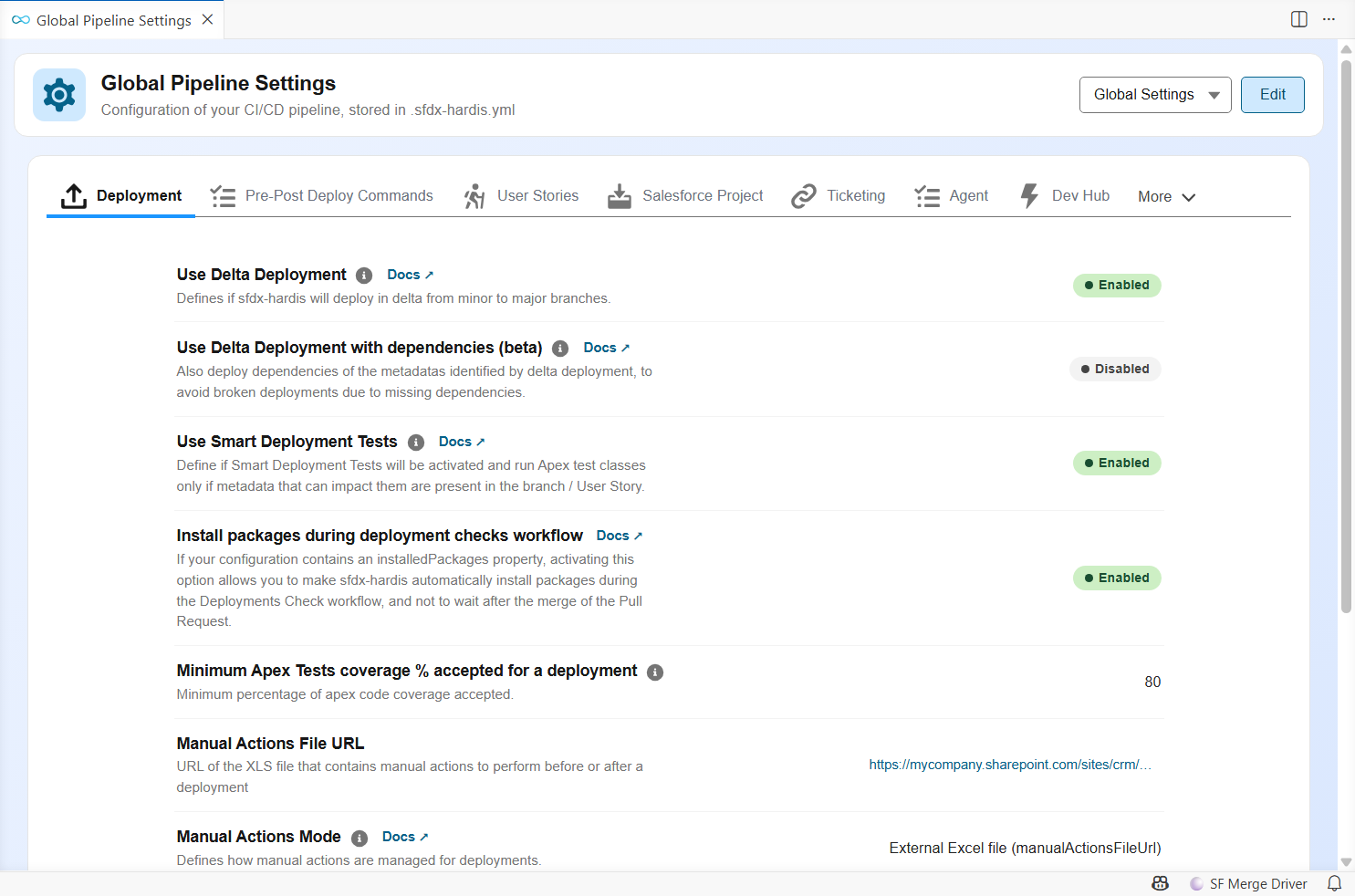
The complete list of properties, with their type, default value and description, is in the configuration reference. Many options can also be set with environment variables on the CI server.
What to review after the setup
User Story options
The New User Story command asks contributors for a target branch, a User Story name and an org. Configure the proposed values (available target branches and their labels, branch prefixes, naming rules, shared dev sandboxes...) with the User Story options of hardis:work:new.
package.xml and destructiveChanges.xml
The repository contains manifest/package.xml, the list of all metadata deployed by the CI server, and manifest/destructiveChanges.xml, the list of metadata it deletes. Both files are updated automatically by the Save / Publish command (hardis:work:save), so contributors never edit them by hand.
Overwrite management
Some metadata is maintained directly in production on purpose: dashboards, reports, remote site settings, named credentials... Overwrite management lists the metadata the pipeline must never overwrite when it already exists in the target org. Configure it early: it is the best protection against a deployment erasing someone's work.
Delta deployments
By default the CI server deploys the whole package.xml. On large projects, delta deployments deploy only the metadata changed by the Pull Request, which makes validations and deployments much faster.
Automated cleaning
Before each Pull Request, hardis:work:save can clean the sources: remove the items listed in destructiveChanges.xml, remove from Profiles the attributes that belong in Permission Sets, remove Flow positions and more.
Deployment actions
Contributors can attach deployment actions to their Pull Requests. Actions that must run at every deployment of the project are declared in config/.sfdx-hardis.yml (commandsPreDeploy / commandsPostDeploy), from the Pre-Post Deploy Commands tab of the Pipeline Settings panel.
Source retrieve issues
When hardis:scratch:pull misses some metadata types, see Source retrieve issues.
Repository clean up
To remove files from the repository without deleting them from the orgs, see Repository clean up.