Solve MegaLinter errors
- Apex best practices using PMD
- LWC best practices using ESLint
- Security issues
- Excessive copy-pastes
- Example of .mega-linter.yml config file
Solve MegaLinter errors
MegaLinter posts a comment on your Pull Request (Merge Request on GitLab) with the result of each linter. This page explains how to handle the most common errors.
Apex best practices using PMD
PMD checks your Apex classes against a list of best practices, to keep technical debt out of the project.
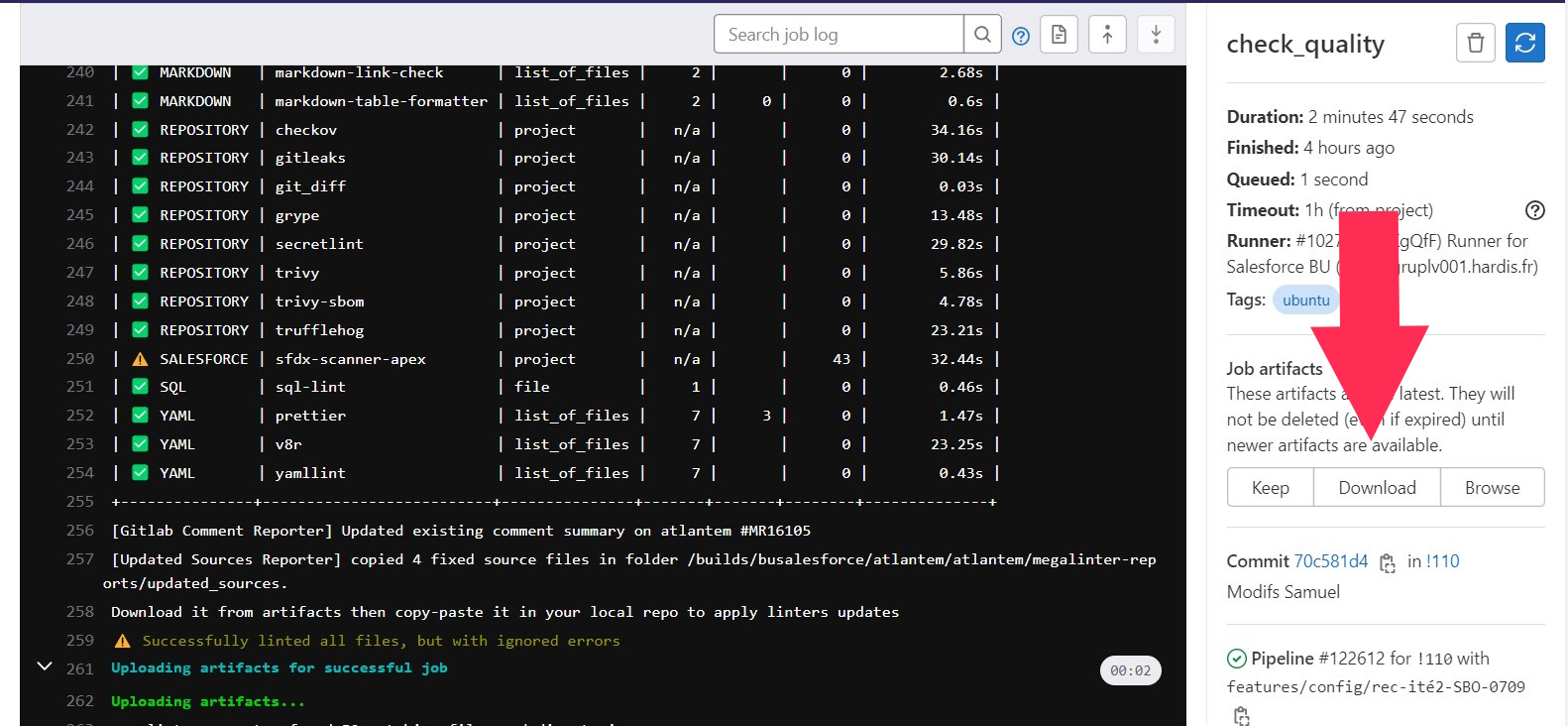
Download the job artifacts: they contain a file named sfdx-scanner-report-apex.csv.
Open the file to see the errors.
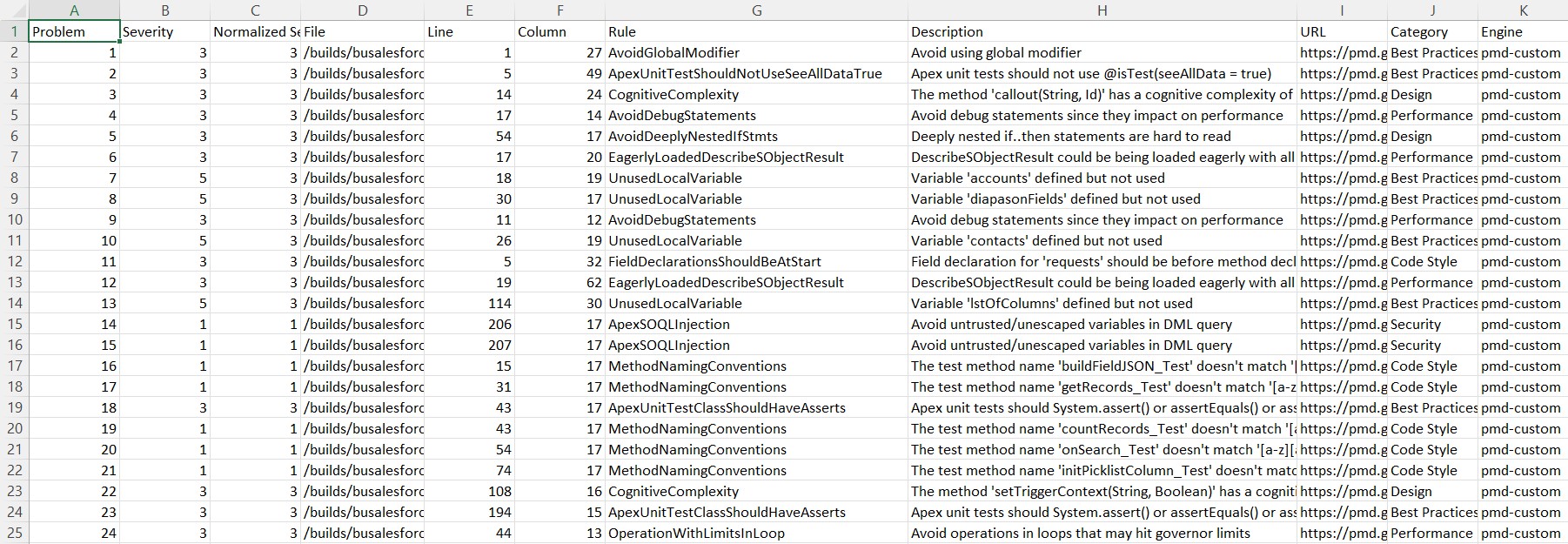
- If the errors are in code written by a developer of the project, fix the code.
- If the errors are in imported or generated classes, you can bypass them by adding the annotation
@SuppressWarnings('PMD')at the top of the class.
// NOPMDat the end of a line makes PMD ignore that line. Use it only for false positives, never to publish faster, otherwise you create technical debt.- If you use
// NOPMD, say why in a comment. Example:// NOPMD Strings already escaped before
- If you use
LWC best practices using ESLint
The LWC scanner embedded in MegaLinter (sfdx-scanner-lwc) is hard to configure.
If you cannot make it work, your release manager can add SALESFORCE_SFDX_SCANNER_LWC to the DISABLE_LINTERS property of the .mega-linter.yml config file.
Security issues
Fix the security issues when they are real, like hardcoded tokens or passwords. If a finding is a false positive, ask your release manager: only the release manager can bypass a linter.
Excessive copy-pastes
Refactor your code to remove the duplicated blocks.
You can also add exceptions in the .jscpd.json file, but only when the duplication really makes sense, not to save time.
Example of .mega-linter.yml config file
# Extend from the shared sfdx-hardis MegaLinter configuration
EXTENDS:
  - https://raw.githubusercontent.com/hardisgroupcom/sfdx-hardis/main/config/sfdx-hardis.mega-linter-config.yml

DISABLE_LINTERS:
- SALESFORCE_SFDX_SCANNER_LWC
- SALESFORCE_SFDX_SCANNER_AURA
- CSS_STYLELINT

SALESFORCE_SFDX_SCANNER_APEX_DISABLE_ERRORS_IF_LESS_THAN: 6 # ONLY THE RELEASE MANAGER CAN UPDATE THIS VALUE