Configure GitHub CI/CD variables
Define sfdx-hardis environment variables
- Go to Repository -> Settings > Secret and variables -> Actions (you must have Github authorizations to access this menu)
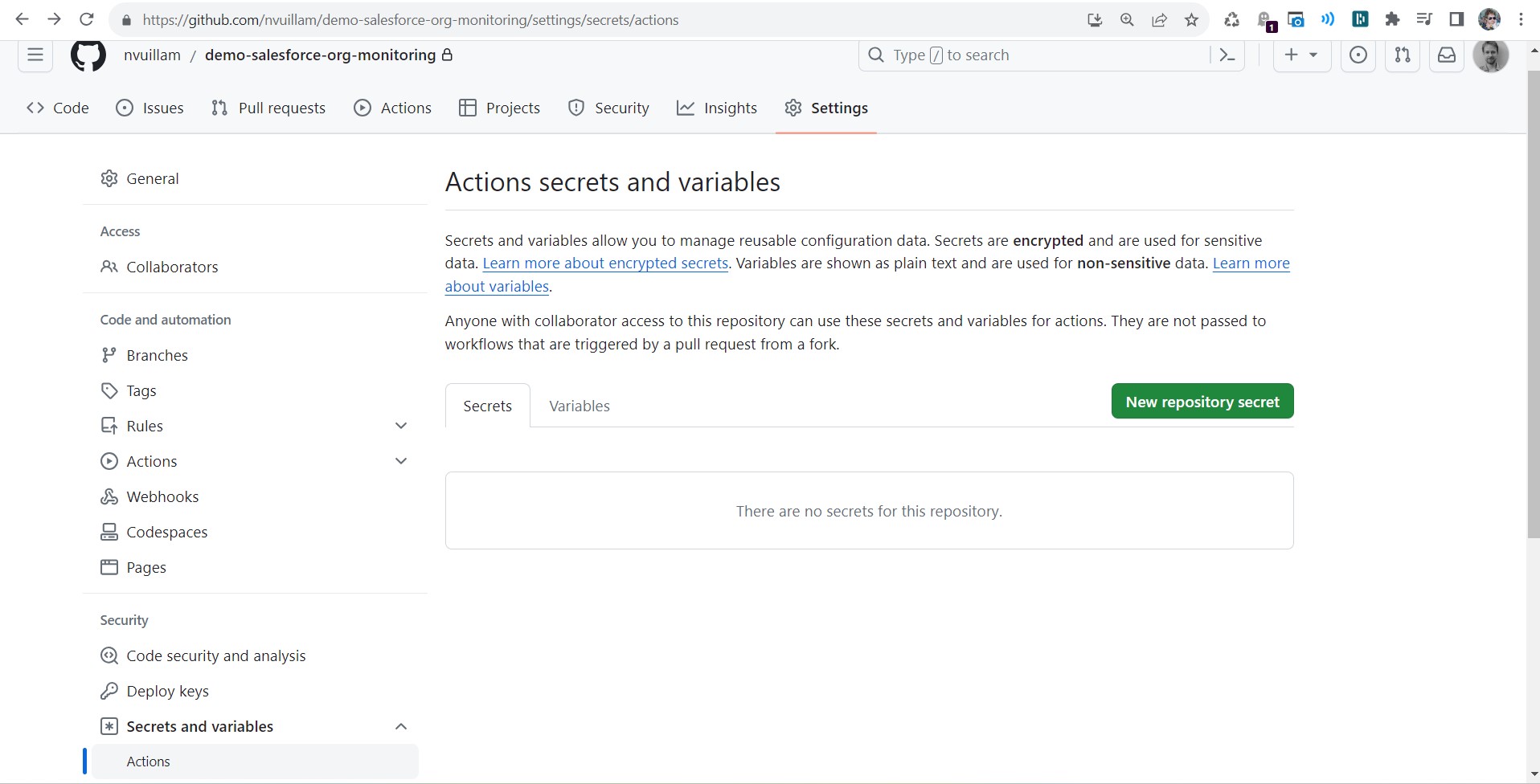
- Create the new secret with the following info:
- name: YOUR_VARIABLE_NAME
- value:
Your variable value
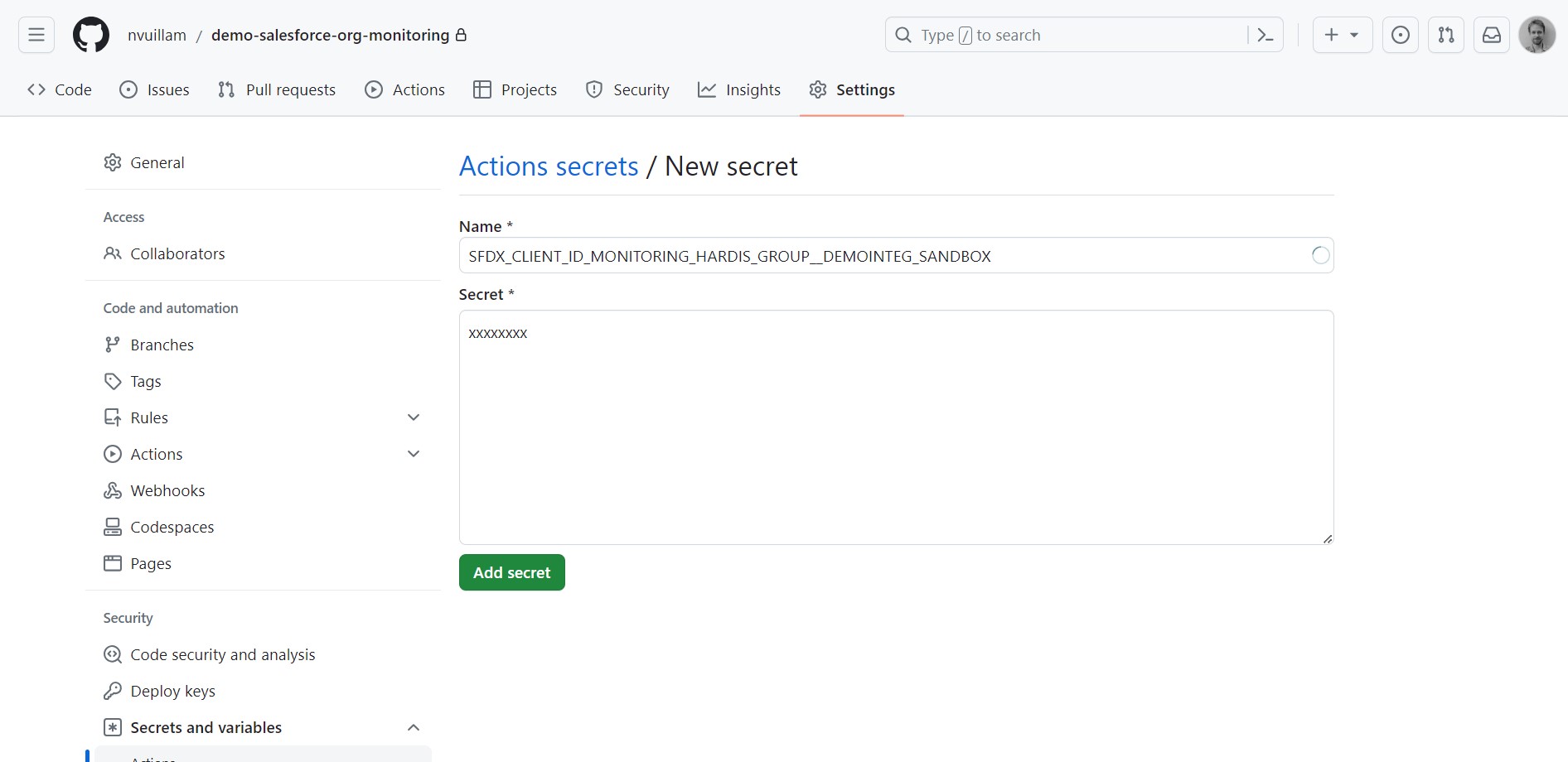
More info: GitHub documentation
Reference variables in your pipeline YAML files
When you defined your secret variables in GitHub Actions, you need to reference them in your pipeline YAML files using the syntax VARIABLE_NAME: ${{ secrets.VARIABLE_NAME }}, so their values are correctly passed to the pipeline.
Example:
          SFDX_CLIENT_ID_MY_ORG: ${{ secrets.SFDX_CLIENT_ID_MY_ORG }}
          SFDX_CLIENT_KEY_MY_ORG: ${{ secrets.SFDX_CLIENT_KEY_MY_ORG }}
Impacted YAML files if present in your repo:
.github/workflows/check-deploy.yml.github/workflows/process-deploy.yml.github/workflows/org-monitoring.yml