Configure Jenkins CI/CD credentials
Define sfdx-hardis environment variables
- Go to Dashboard -> Manage Jenkins
- Under Security tab click on Credentials -> global credentials
- Click on Add credential , then choose Secret text
- Input variable name and value
- Don't forget to click on create !
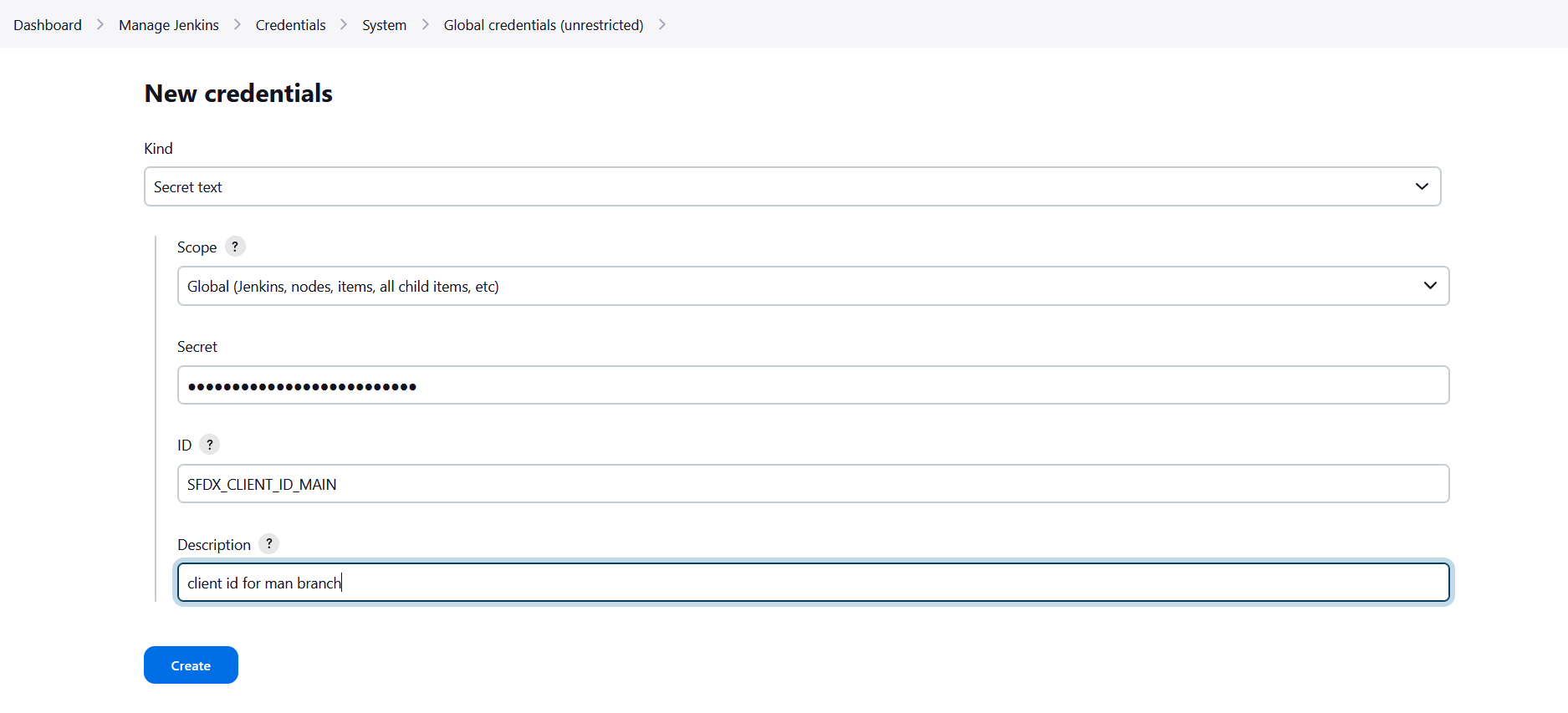
More info: Jenkins documentation
Reference variables in your Jenkinsfile
When you defined your secret variables in Jenkins, you need to reference them in your pipeline YAML files using the syntax VARIABLE_NAME: credentials('VARIABLE_NAME'), so their values are correctly passed to the pipeline.
Example:
    environment {
        SFDX_CLIENT_ID_MY_ORG = credentials('SFDX_CLIENT_ID_MY_ORG') //Example
        SFDX_CLIENT_KEY_MY_ORG = credentials('SFDX_CLIENT_KEY_MY_ORG') //Example
    }
Impacted files if present in your repo:
Jenkinsfile